> ## Documentation Index
> Fetch the complete documentation index at: https://guide.garde.app/llms.txt
> Use this file to discover all available pages before exploring further.
# Introduction
> How daily sales journals turn POS data into accounting exports.
## What are Daily Sales Journals?
Daily sales journals collect your daily POS data (sales, discounts, CC & cash payments) in a format that's exportable to your accounting software.
We track:
* Sales & Discounts
* Credit Card Deposits
* Cash Deposits & Cash Adjustments
* Sales Tax
* Delivery Payments
* Gift Cards
* Scheduled Orders & Invoices
## Getting Started
### Set Up Sales Mapping
In the **Sales Mapping** page, specify which accounts will be mapped to each sales journal line.
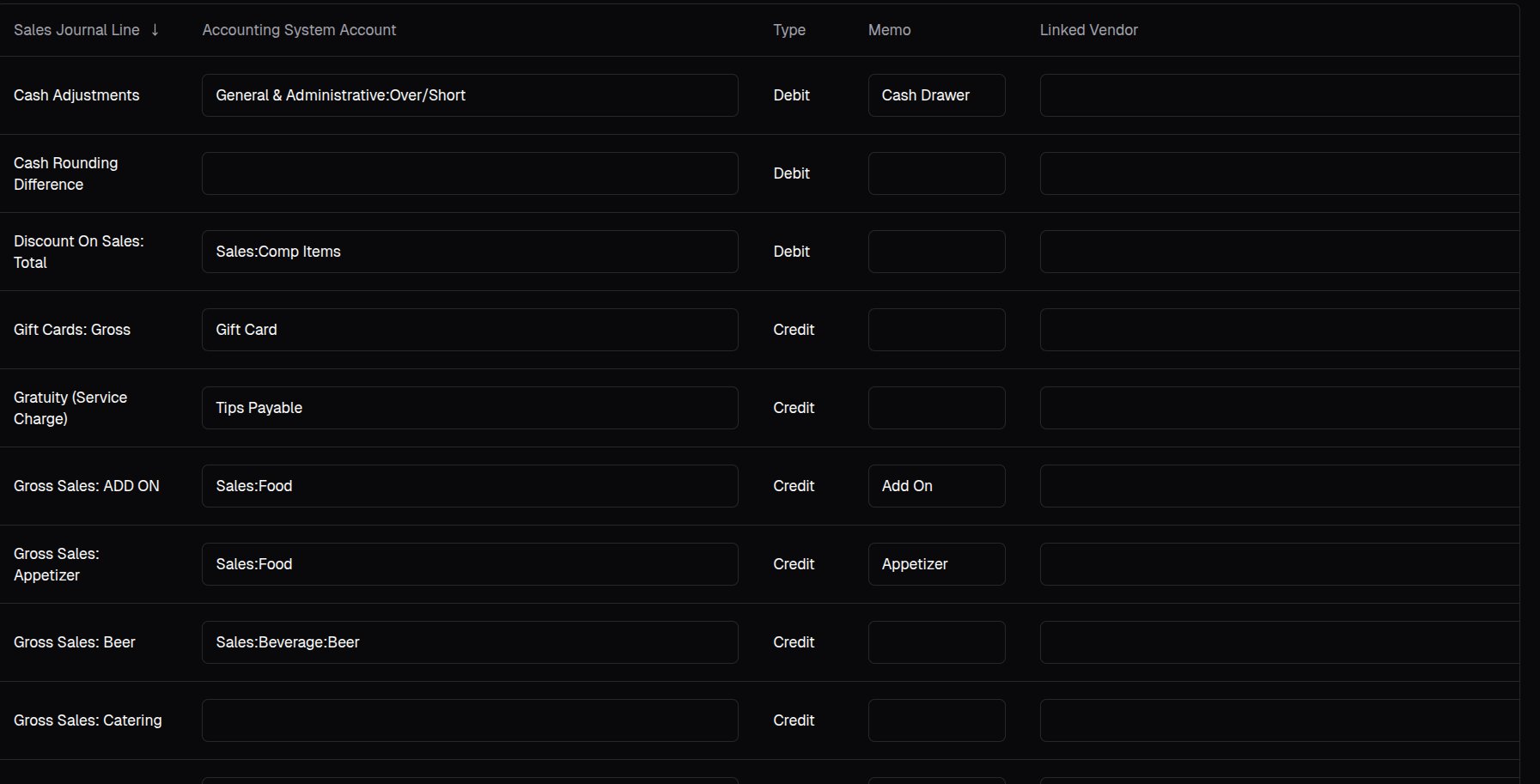 For any A/P accounts, specify the linked vendor as well.
### Export Sales Journals
You can find your journals in the **Sales Journals** page:
For any A/P accounts, specify the linked vendor as well.
### Export Sales Journals
You can find your journals in the **Sales Journals** page:
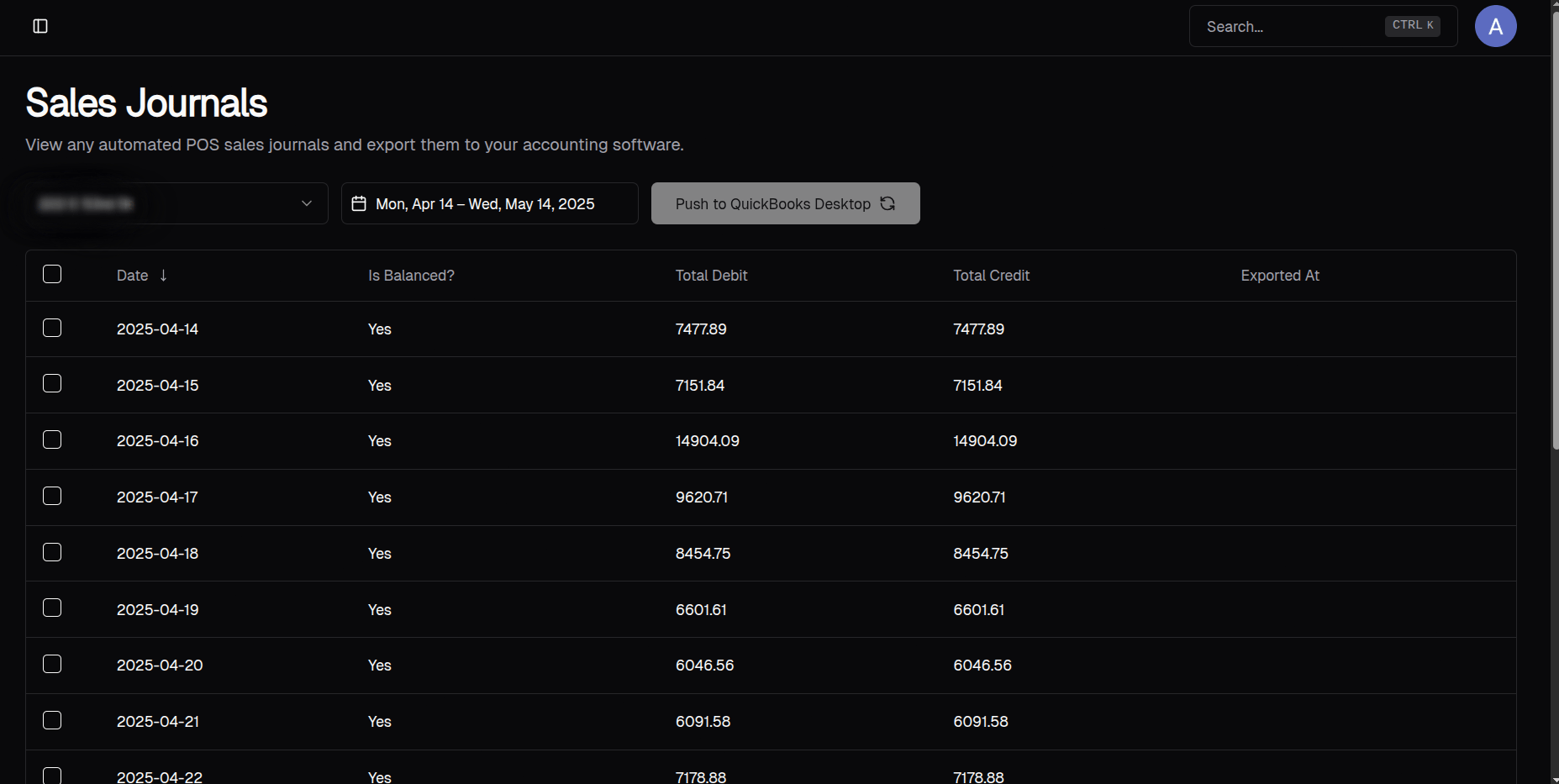 To export, select which entries you want to export and click Push to **QuickBooks Desktop**. If your accounting system is not QuickBooks Desktop, it will say **Push to NetSuite** or **Push to QuickBooks Online**.
You can click on each table row to see the breakdown of each entry, such as:
To export, select which entries you want to export and click Push to **QuickBooks Desktop**. If your accounting system is not QuickBooks Desktop, it will say **Push to NetSuite** or **Push to QuickBooks Online**.
You can click on each table row to see the breakdown of each entry, such as:
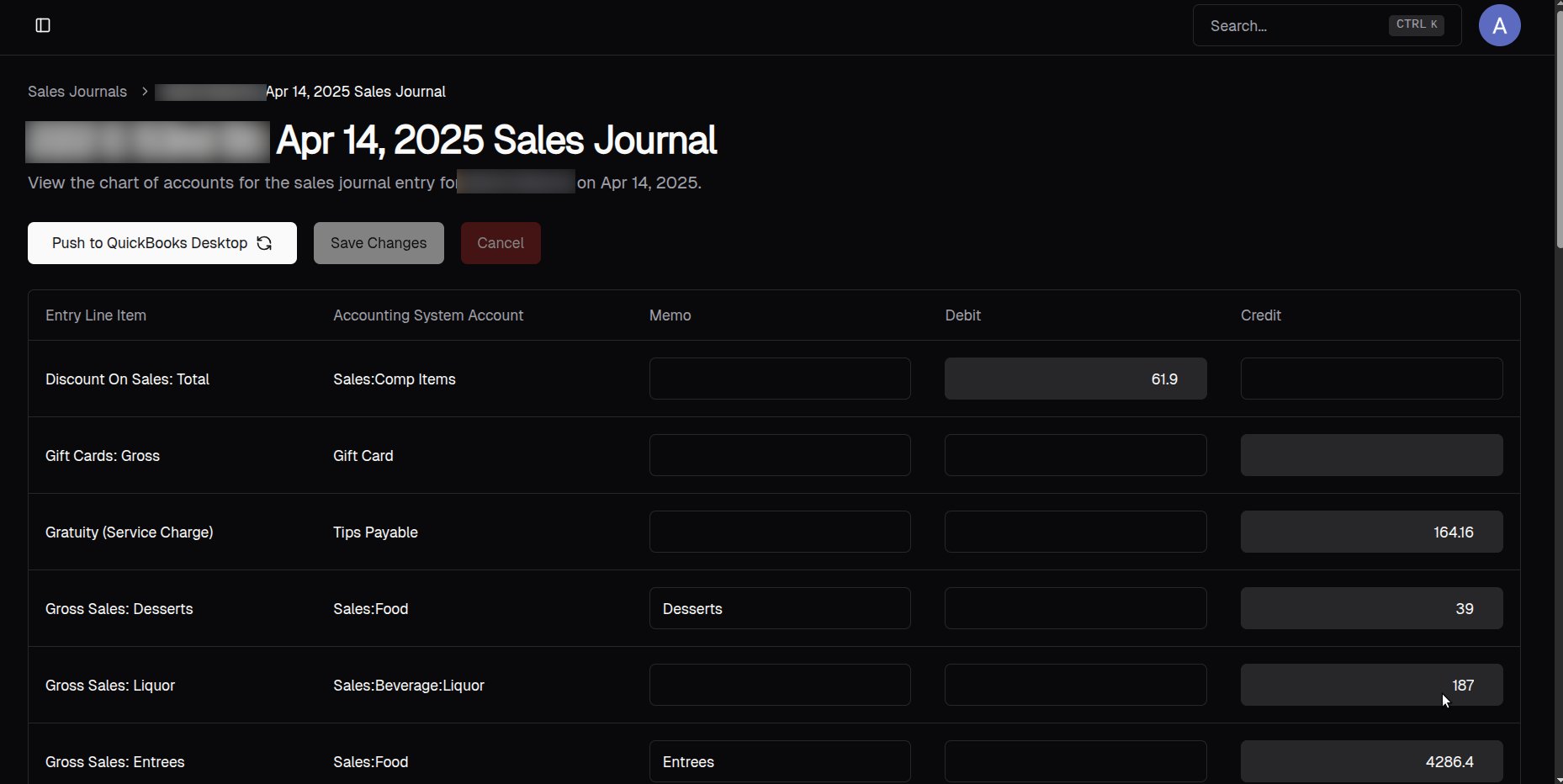 Here, you'll be able to edit the entry and the memos when necessary.