> ## Documentation Index
> Fetch the complete documentation index at: https://guide.garde.app/llms.txt
> Use this file to discover all available pages before exploring further.
# Invite your team
> Give the right people access to the right locations.
Two kinds of users, two front doors:
* **Dashboard** (this site's Web Dashboard section): owners, GMs, accountants, inventory leads, payroll admins.
* **Garde app**: everyone on the floor. Staff never need the dashboard.
## Invite a dashboard user
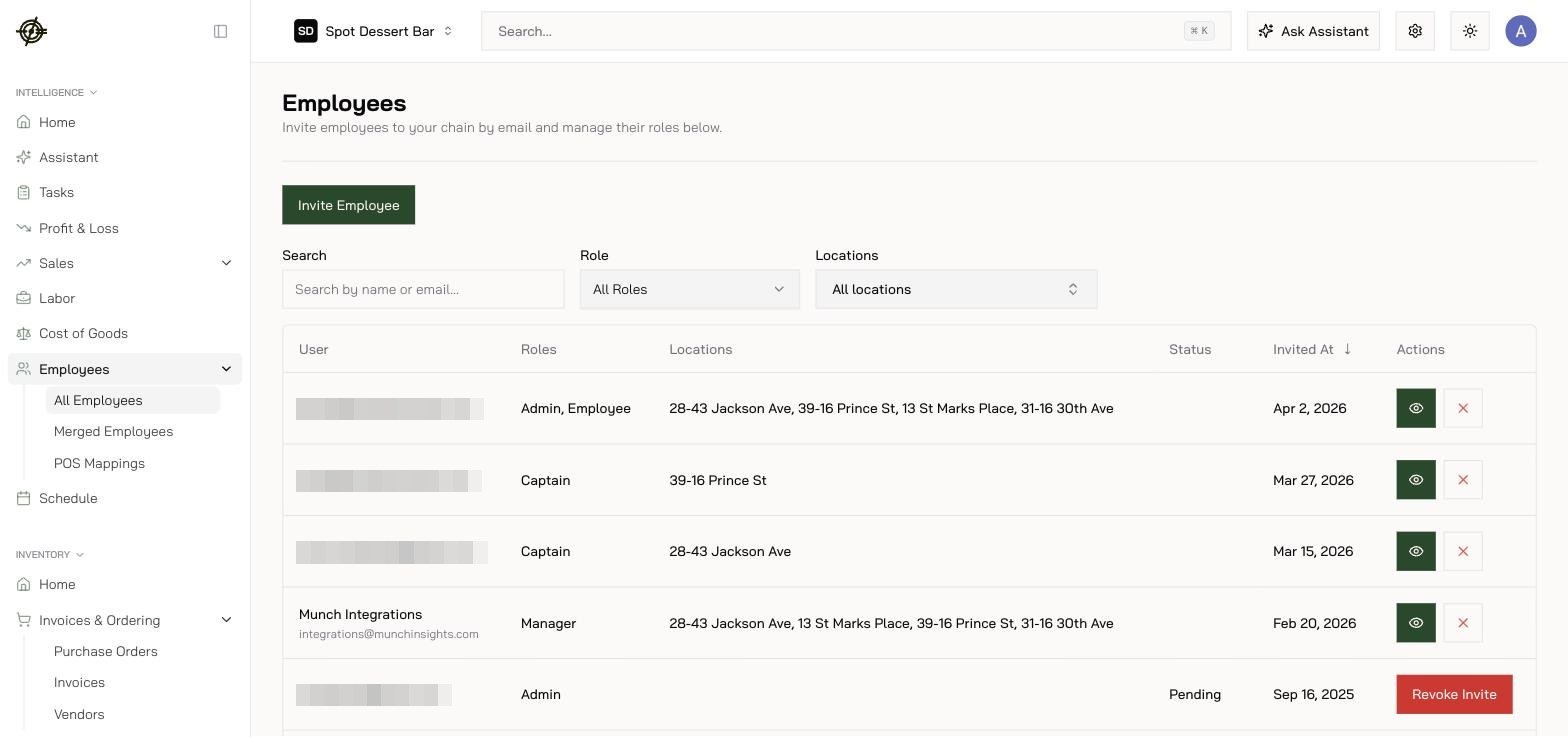
1. Sign in and open **Employees** in the sidebar.
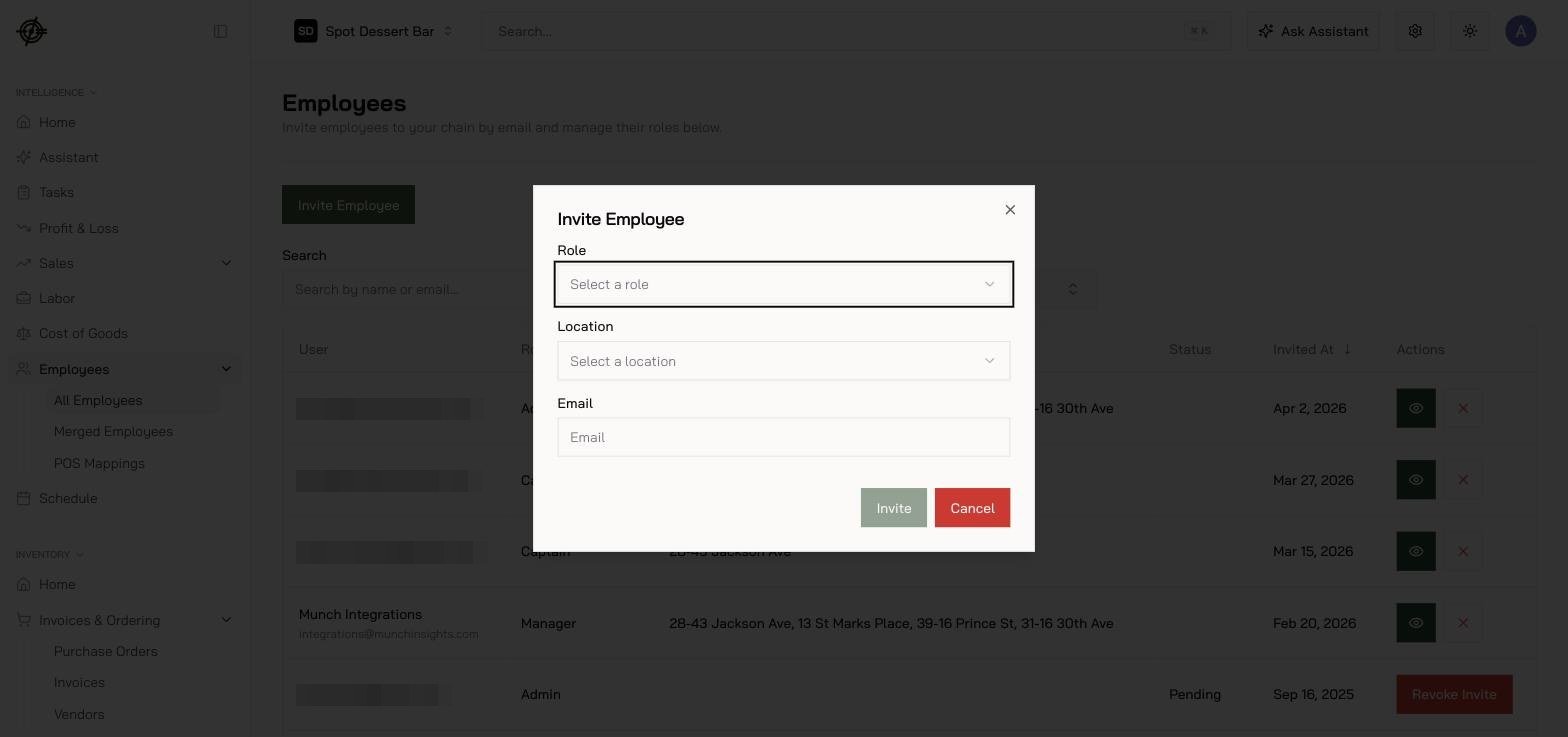
2. On the **All Employees** tab, press **Invite Employee**.
3. Send the invite to their work email.
4. Pick their role. Smallest role that does the job.
5. Set which locations they can see.
 They'll get an email and sign in with a 6-digit emailed code, Google, or Microsoft. No password to set up.
## Get staff on the Garde app
1. Add the employee (payroll admins do this under **Payroll → Employees**).
2. Tell them to download **Garde** and sign in with the same work email.
3. They verify with an emailed code and pick their location.
Point them at [the Garde app guide](/mobile/overview).
Their POS hours and sales only attribute to them once their POS record is linked: check **Employees → POS Mappings** — Garde suggests matches by email, and you accept or link them by hand.
## Who should see what
* Accountant: Accounting, not Scheduling.
* Inventory lead: Inventory, not Payroll.
* Single-store manager: their store only.
Someone leaves? Remove them on the **Employees** page the same day. See [Security & access](/platform/security-and-access).
They'll get an email and sign in with a 6-digit emailed code, Google, or Microsoft. No password to set up.
## Get staff on the Garde app
1. Add the employee (payroll admins do this under **Payroll → Employees**).
2. Tell them to download **Garde** and sign in with the same work email.
3. They verify with an emailed code and pick their location.
Point them at [the Garde app guide](/mobile/overview).
Their POS hours and sales only attribute to them once their POS record is linked: check **Employees → POS Mappings** — Garde suggests matches by email, and you accept or link them by hand.
## Who should see what
* Accountant: Accounting, not Scheduling.
* Inventory lead: Inventory, not Payroll.
* Single-store manager: their store only.
Someone leaves? Remove them on the **Employees** page the same day. See [Security & access](/platform/security-and-access).