> ## Documentation Index
> Fetch the complete documentation index at: https://guide.garde.app/llms.txt
> Use this file to discover all available pages before exploring further.
# Recording prep & batches
> Turn raw ingredients into prepped product so counts and variance stay accurate.
**Who:** prep cooks or the kitchen lead.
**When:** every production run — sauces, doughs, broths, syrups.
Recording a batch converts raw ingredients into prepped product in inventory, keeping counts and variance accurate for both the raw items and the prep.
## Record a batch
1. Go to **Inventory → Stock & Inventory → Prep & Batches**.
2. Press **Add to Batch**.
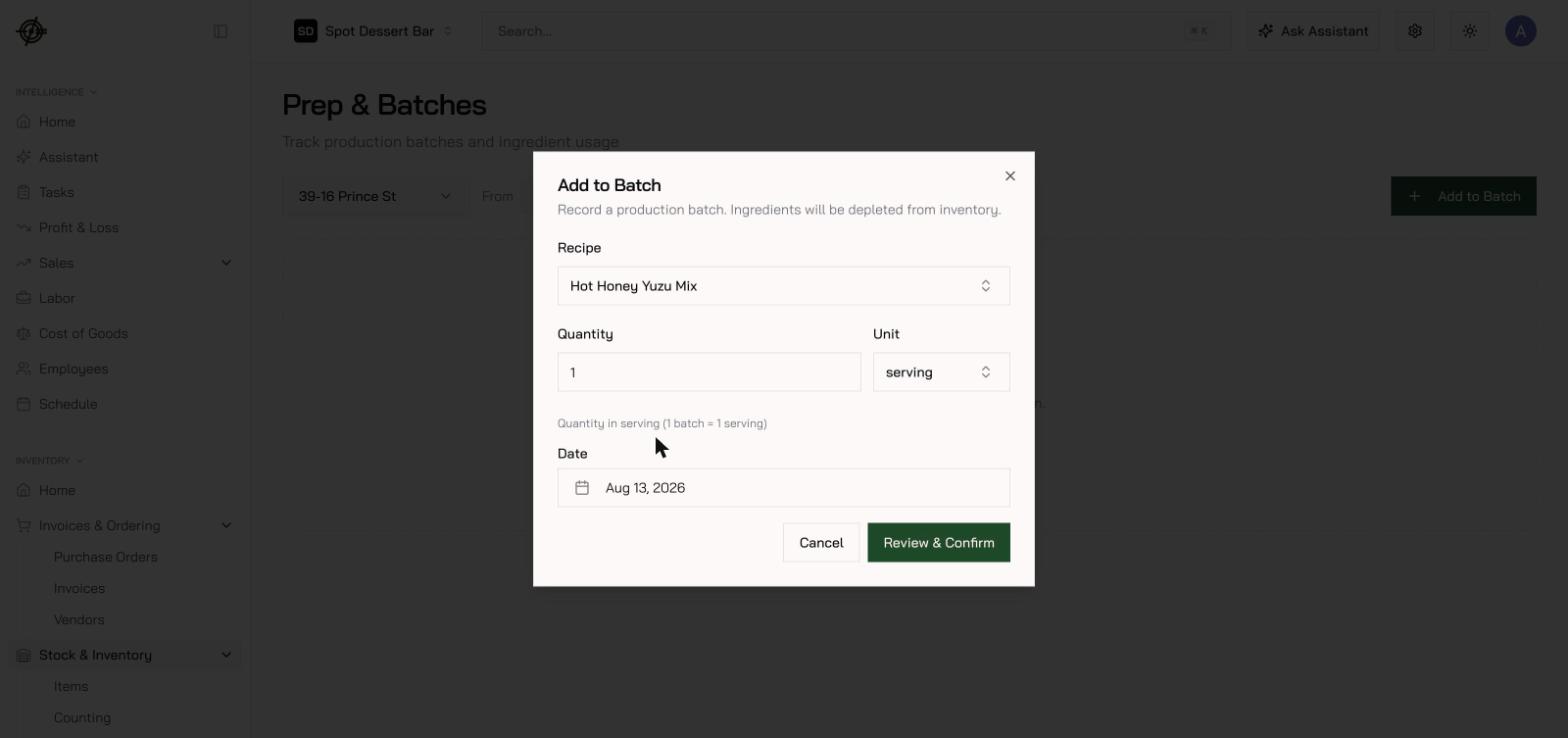
3. Choose the **recipe** and enter the **quantity** — number of batches, or an amount in the batch unit (the dialog shows the yield, e.g. *1 batch = 1 serving*).
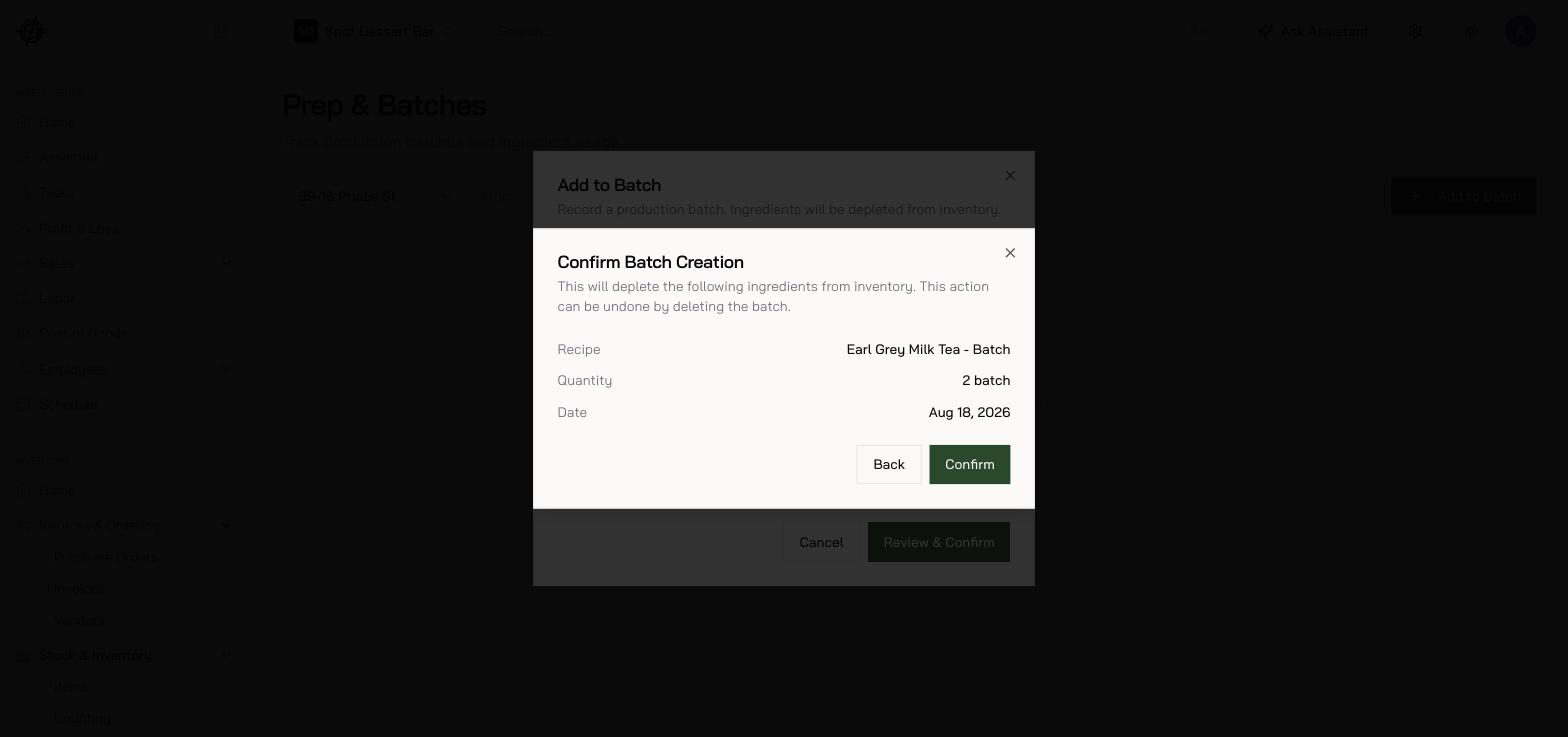
4. Set the **date**, then press **Review & Confirm** to see exactly what will leave inventory.
5. **Confirm**.
 ## Fix mistakes
Deleting a batch **reverses all of its depletions** — a wrong entry is safe to delete and re-enter.
If a prep recipe won't come up here, it isn't marked as a **Prepared Item (Sub-recipe)** — that flag, with its **Prepared Yield**, is what lets Garde translate "3 batches" into real quantities. See [Recipes & menu costing](/operating-guide/setup-recipes).
## Fix mistakes
Deleting a batch **reverses all of its depletions** — a wrong entry is safe to delete and re-enter.
If a prep recipe won't come up here, it isn't marked as a **Prepared Item (Sub-recipe)** — that flag, with its **Prepared Yield**, is what lets Garde translate "3 batches" into real quantities. See [Recipes & menu costing](/operating-guide/setup-recipes).