> ## Documentation Index
> Fetch the complete documentation index at: https://guide.garde.app/llms.txt
> Use this file to discover all available pages before exploring further.
# Recipes & menu costing
> Recipes turn sales into theoretical usage — the foundation of variance and plate cost.
**Who:** the chef (quantities) with the ops lead (mapping).
**When:** onboarding, then whenever the menu or portioning changes.
## Build recipes
**Inventory → Recipes** lists every recipe with cost, menu price, and food-cost % against your goal.
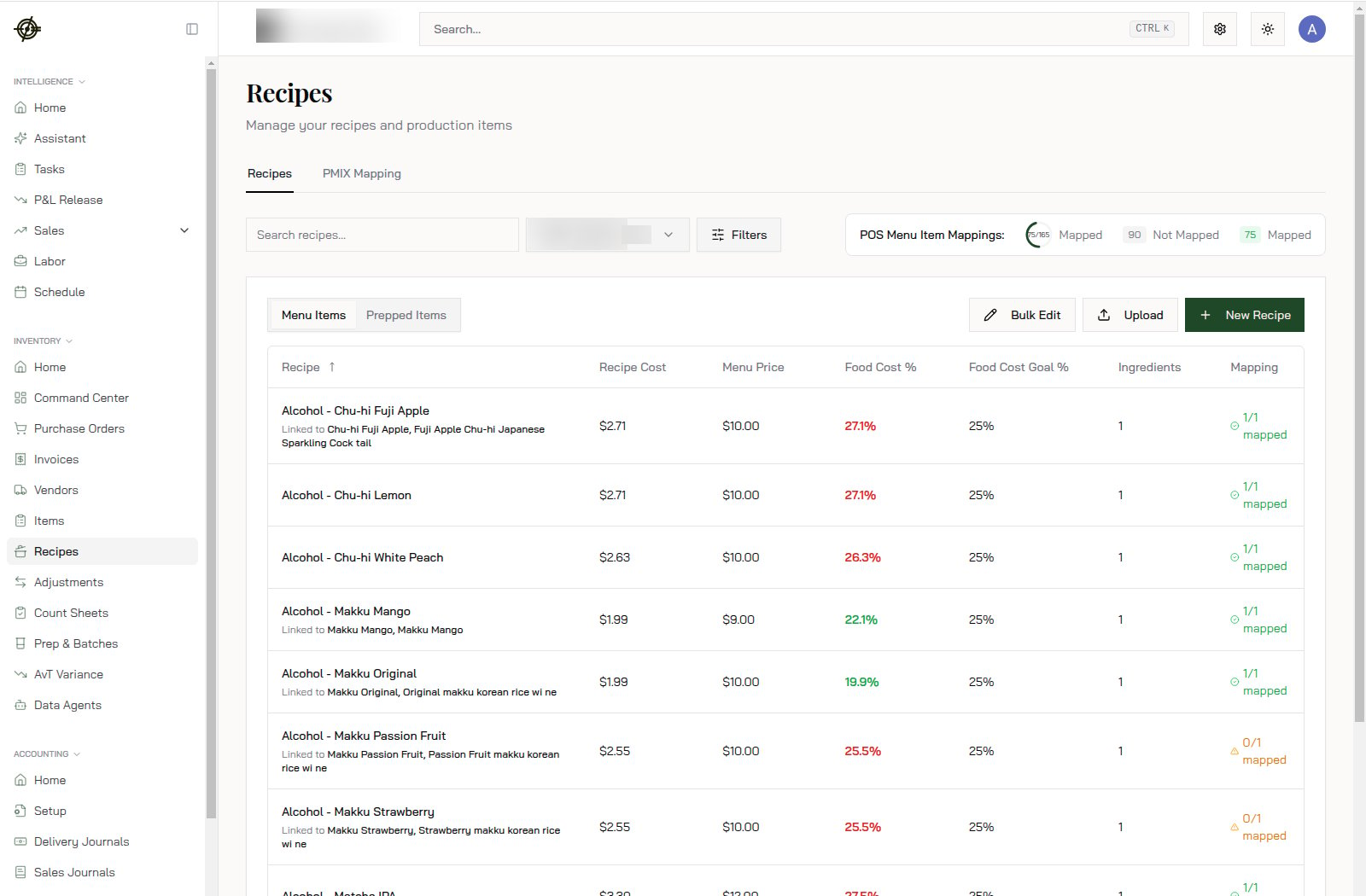
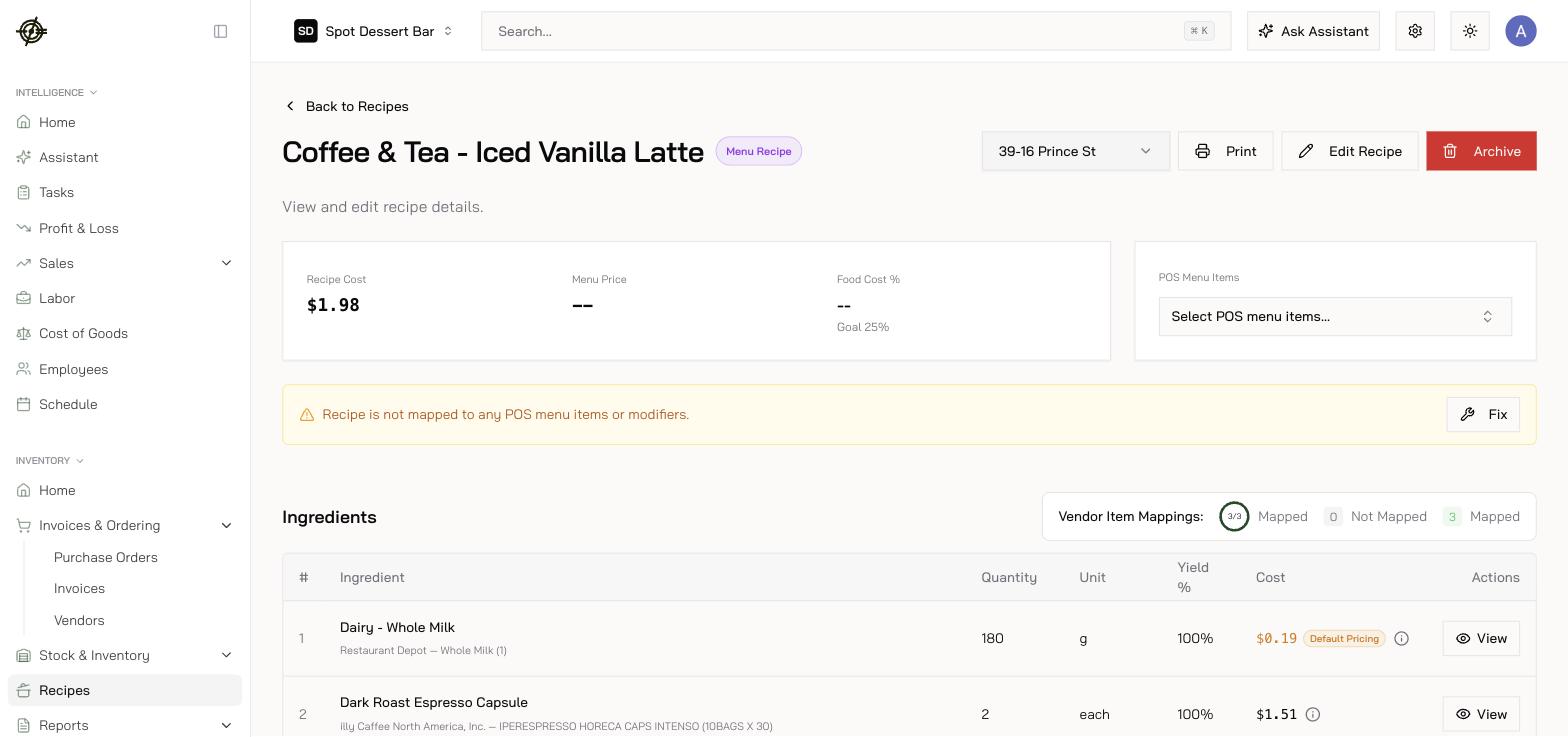 * Add ingredients in real kitchen units; Garde prices from live, invoice-backed item costs — one recipe at a time or the whole book at once.
* Set a **Goal Food Cost %** per recipe so actual is always measured against intent — that's the red/green food-cost % on the list.
* **Sub-recipes**: batch recipes (sauce, dough, broth) can be ingredients in other recipes. Build bottom-up — prep first, then menu items.
* Give batch recipes a **yield** so [Prep & Batches](/operating-guide/daily-prep-batches) and costing can convert batches to units.
## Map recipes to your POS
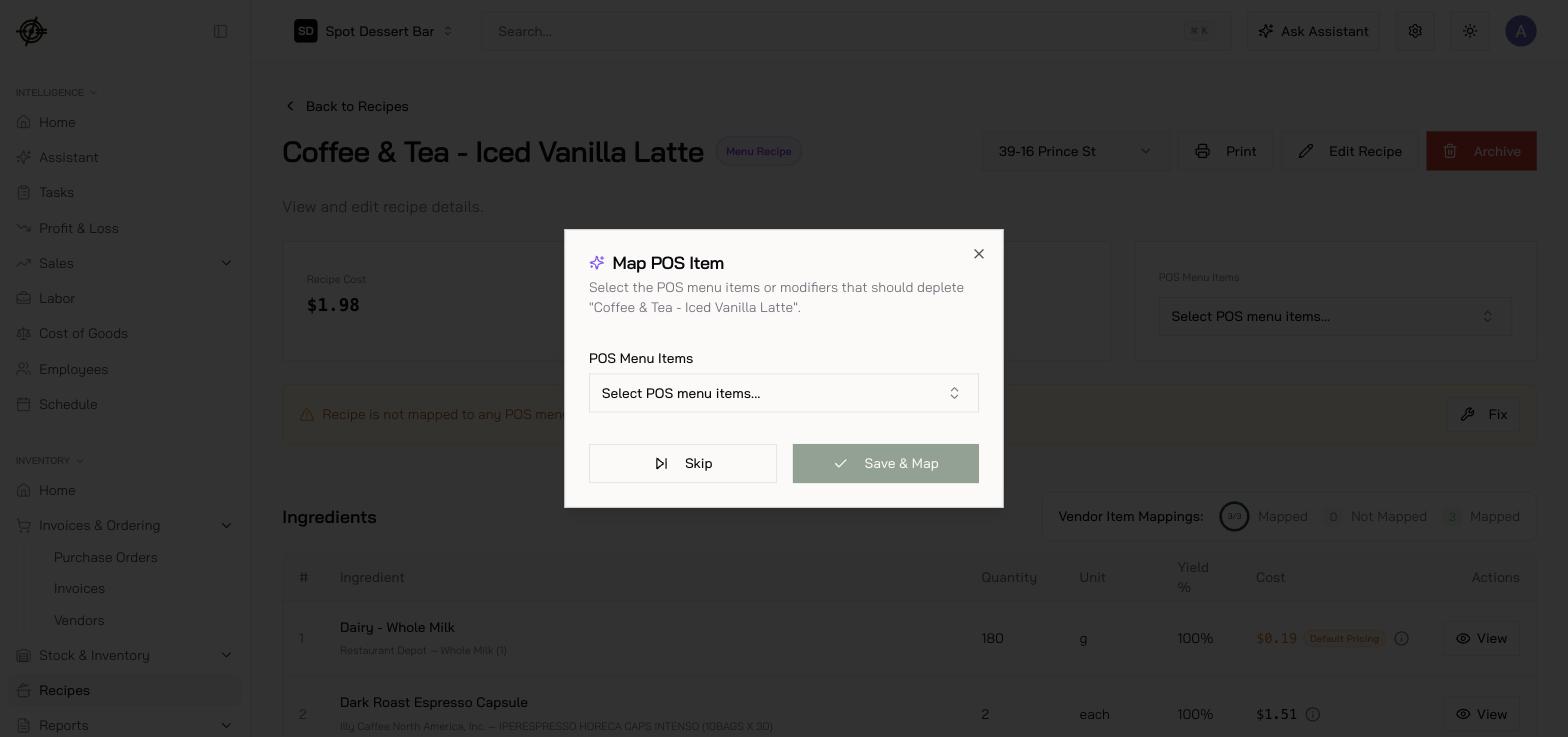
A recipe only depletes inventory when sales reach it. Link each recipe to its **POS item(s)** — Garde suggests likely matches, and a per-link **scale factor** handles half portions and doubles — then cover variations with **modifier rules**, not duplicate recipes:
* Keep **one base recipe per POS item**.
* Model sizes, temps, milks, toppings as **modifier mappings** that add or swap ingredients when the modifier sells (*oat milk → +4 oz oat, −4 oz whole*).
* Add ingredients in real kitchen units; Garde prices from live, invoice-backed item costs — one recipe at a time or the whole book at once.
* Set a **Goal Food Cost %** per recipe so actual is always measured against intent — that's the red/green food-cost % on the list.
* **Sub-recipes**: batch recipes (sauce, dough, broth) can be ingredients in other recipes. Build bottom-up — prep first, then menu items.
* Give batch recipes a **yield** so [Prep & Batches](/operating-guide/daily-prep-batches) and costing can convert batches to units.
## Map recipes to your POS
A recipe only depletes inventory when sales reach it. Link each recipe to its **POS item(s)** — Garde suggests likely matches, and a per-link **scale factor** handles half portions and doubles — then cover variations with **modifier rules**, not duplicate recipes:
* Keep **one base recipe per POS item**.
* Model sizes, temps, milks, toppings as **modifier mappings** that add or swap ingredients when the modifier sells (*oat milk → +4 oz oat, −4 oz whole*).
 Don't create "Latte — Iced — Large — Oat" as its own recipe. One "Latte" base plus modifier rules stays maintainable and keeps variance meaningful.
## PMIX Mapping
**Recipes → PMIX Mapping** shows every POS menu item and whether it's linked. Unmapped items sell without depleting anything — they inflate "savings" variance and hide real waste. Work it to zero after every menu change.
**Order of operations for trustworthy costing:** items → conversions → recipes → POS mapping → modifier rules. Skip a step and the numbers downstream will tell you — loudly.
Don't create "Latte — Iced — Large — Oat" as its own recipe. One "Latte" base plus modifier rules stays maintainable and keeps variance meaningful.
## PMIX Mapping
**Recipes → PMIX Mapping** shows every POS menu item and whether it's linked. Unmapped items sell without depleting anything — they inflate "savings" variance and hide real waste. Work it to zero after every menu change.
**Order of operations for trustworthy costing:** items → conversions → recipes → POS mapping → modifier rules. Skip a step and the numbers downstream will tell you — loudly.