> ## Documentation Index
> Fetch the complete documentation index at: https://guide.garde.app/llms.txt
> Use this file to discover all available pages before exploring further.
# Vendors & vendor items
> The supplier directory, product catalogs, price history, and Vendor Memory.
**Who:** GM or ops lead; your accountant cares about the accounting-vendor mapping.
**When:** onboarding, plus a few minutes per new supplier.
## The directory
**Inventory → Invoices & Ordering → Vendors** lists every supplier with contact, payment terms, spend, and accounting mapping. **Add Vendor** needs just a company name.
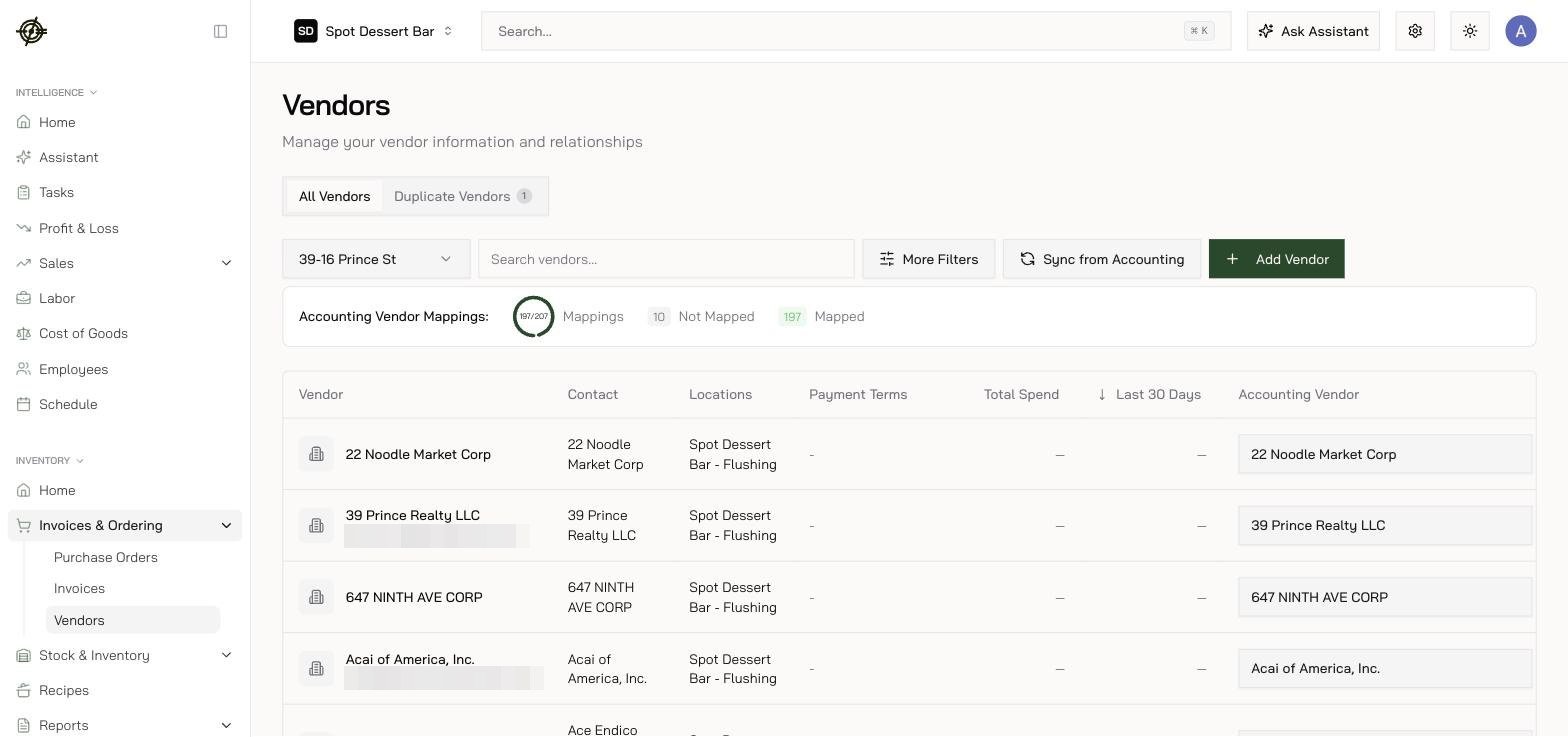 The **Duplicate Vendors** tab groups likely dupes by same name / email / phone, with 365-day and 30-day spend so you can tell which record is real. **Merge Vendors** keeps your chosen primary and moves all invoices, POs, vendor items, and mappings onto it — irreversible, so let the spend columns decide.
## The Product Catalog
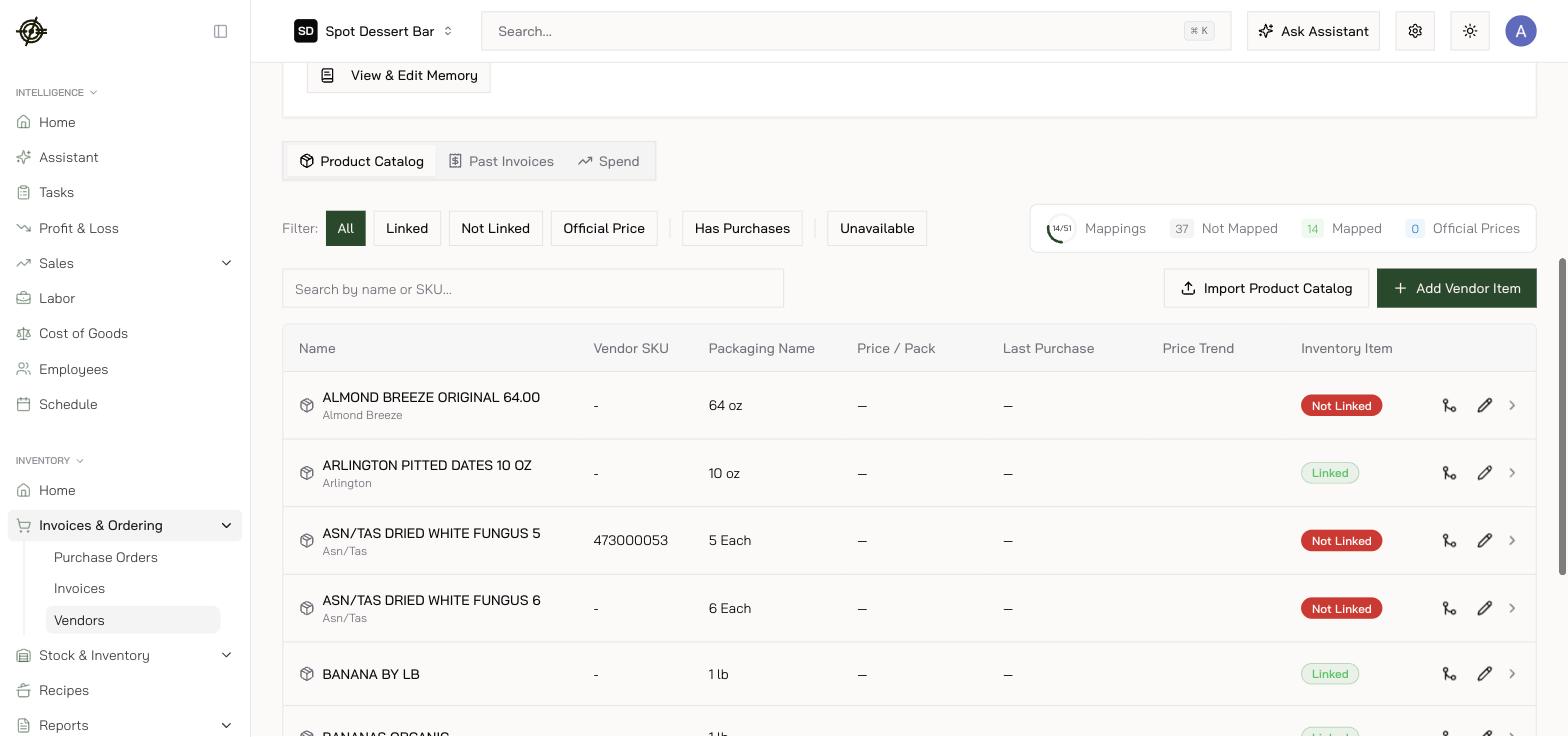
Each vendor page has **Product Catalog**, **Past Invoices**, and **Spend** tabs. The catalog is everything you buy from them — SKU, **Packaging Name** (*12 x 4 lb*), price per pack, trend, and a green **Linked** / red **Not Linked** badge for the inventory connection.
* Work the **Not Linked** filter and the mappings ring to zero — that's catalog hygiene in one number.
* **Import Product Catalog** AI-extracts a price list (PDF, DOC, XLSX, CSV, photos, up to 25MB). Extracted rows land on a **Review Catalog Import** screen — check them and press **Import Selected**; only what you approve is added, and there is no undo afterwards. Imported entries arrive **unlinked and unpriced** — link them afterwards; prices come from invoices.
* Click a vendor item for **Price Per Pack Over Time** and the purchase table — the fastest way to audit a price hike back to the exact invoice line.
The **Duplicate Vendors** tab groups likely dupes by same name / email / phone, with 365-day and 30-day spend so you can tell which record is real. **Merge Vendors** keeps your chosen primary and moves all invoices, POs, vendor items, and mappings onto it — irreversible, so let the spend columns decide.
## The Product Catalog
Each vendor page has **Product Catalog**, **Past Invoices**, and **Spend** tabs. The catalog is everything you buy from them — SKU, **Packaging Name** (*12 x 4 lb*), price per pack, trend, and a green **Linked** / red **Not Linked** badge for the inventory connection.
* Work the **Not Linked** filter and the mappings ring to zero — that's catalog hygiene in one number.
* **Import Product Catalog** AI-extracts a price list (PDF, DOC, XLSX, CSV, photos, up to 25MB). Extracted rows land on a **Review Catalog Import** screen — check them and press **Import Selected**; only what you approve is added, and there is no undo afterwards. Imported entries arrive **unlinked and unpriced** — link them afterwards; prices come from invoices.
* Click a vendor item for **Price Per Pack Over Time** and the purchase table — the fastest way to audit a price hike back to the exact invoice line.
 A vendor item **without a linked inventory item and unit conversion can't be added to purchase orders**. If something's "missing" from ordering, check its link and conversion first.
## Vendor Memory
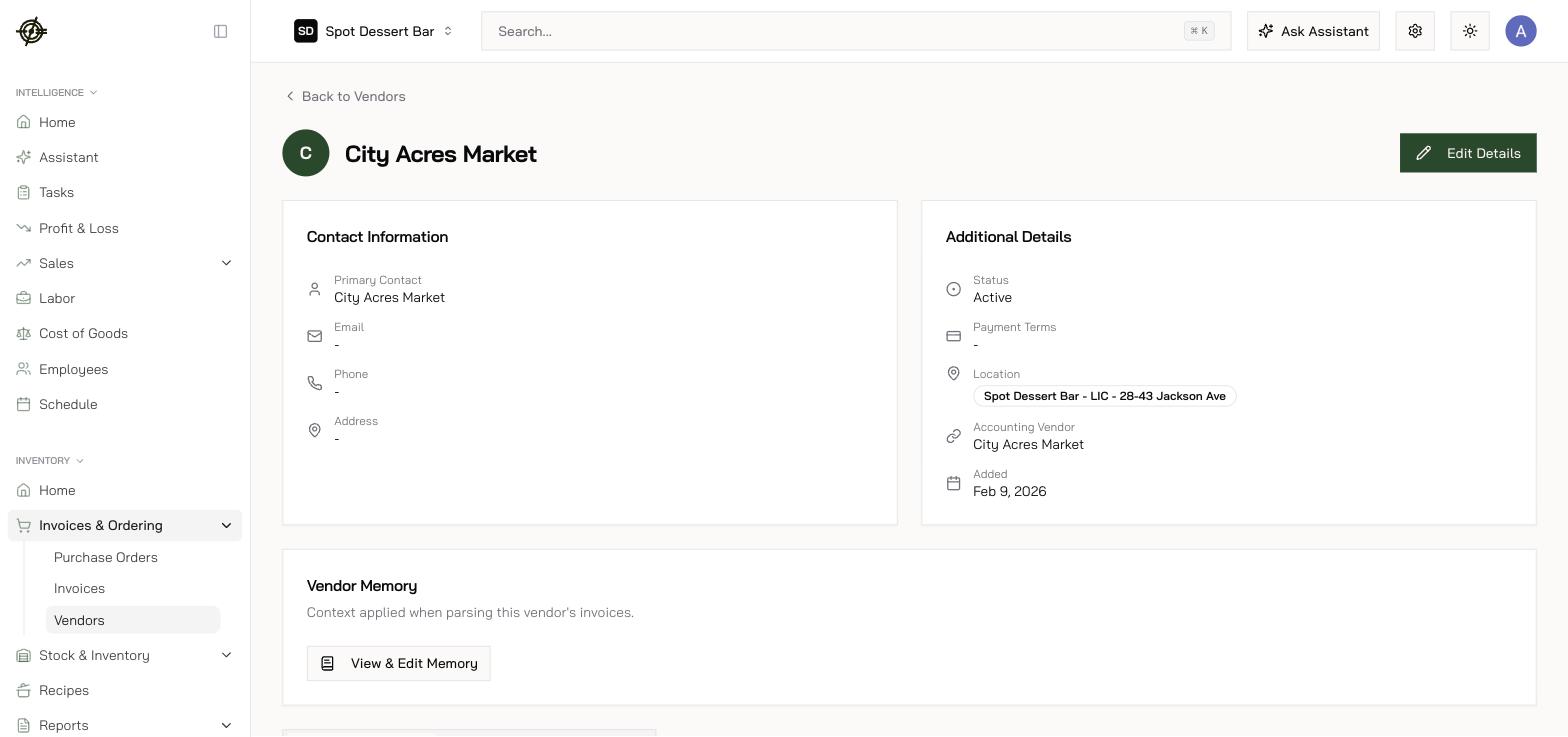
Every vendor page has a **Vendor Memory** card — context applied when parsing that vendor's invoices. Open **View & Edit Memory** and type facts in plain English (*"Unit price is in the column labelled NET"*). The invoice AI applies them on every future scan.
A vendor item **without a linked inventory item and unit conversion can't be added to purchase orders**. If something's "missing" from ordering, check its link and conversion first.
## Vendor Memory
Every vendor page has a **Vendor Memory** card — context applied when parsing that vendor's invoices. Open **View & Edit Memory** and type facts in plain English (*"Unit price is in the column labelled NET"*). The invoice AI applies them on every future scan.
 Vendor items and conversions are **shared across locations**; *prices* are per-location — a new store sees the catalog immediately but builds its own price history.