

- Dashboard (this site’s Web Dashboard section): owners, GMs, accountants, inventory leads, payroll admins.
- Garde app: everyone on the floor. Staff never need the dashboard.
Invite a dashboard user
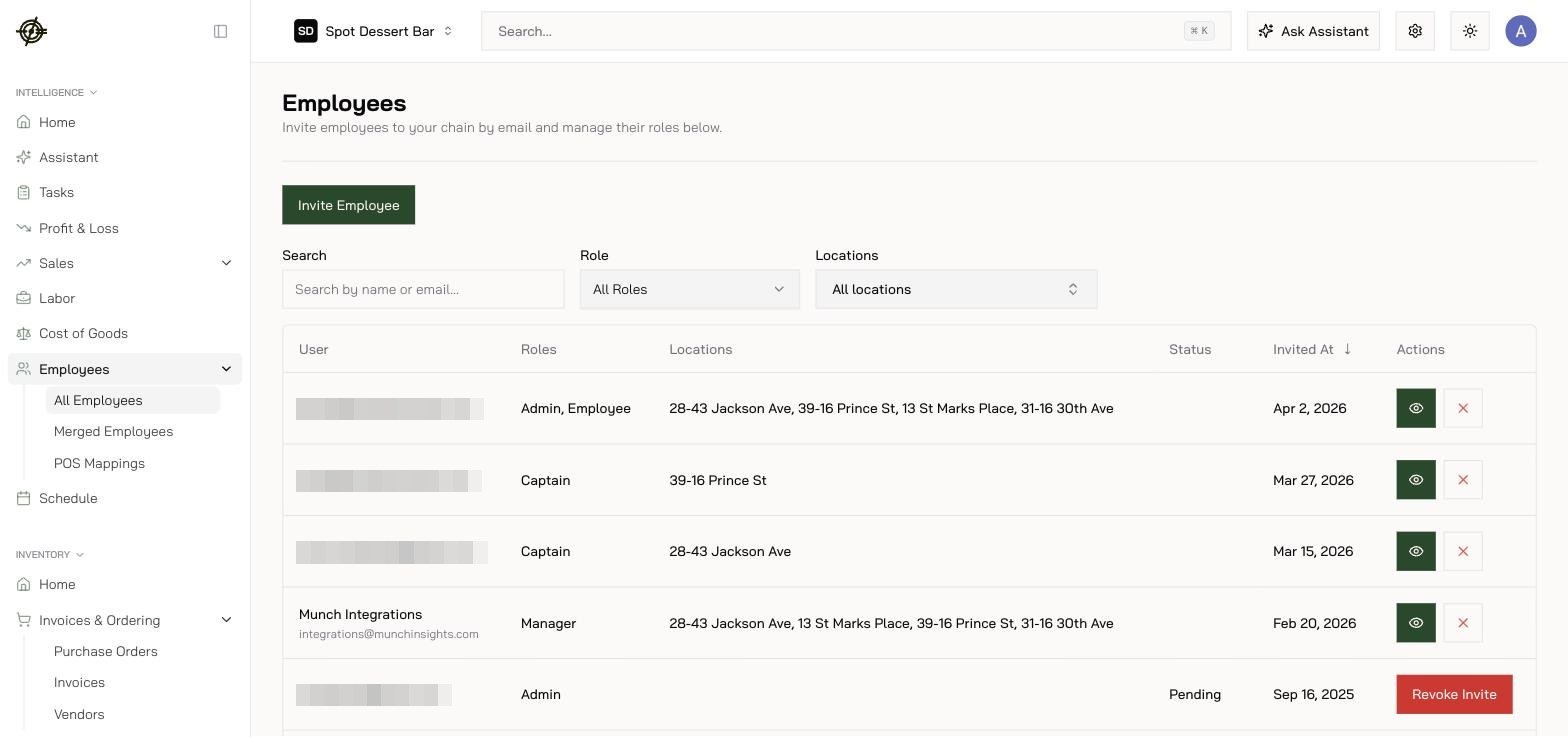
- Sign in and open Employees in the sidebar.
- On the All Employees tab, press Invite Employee.
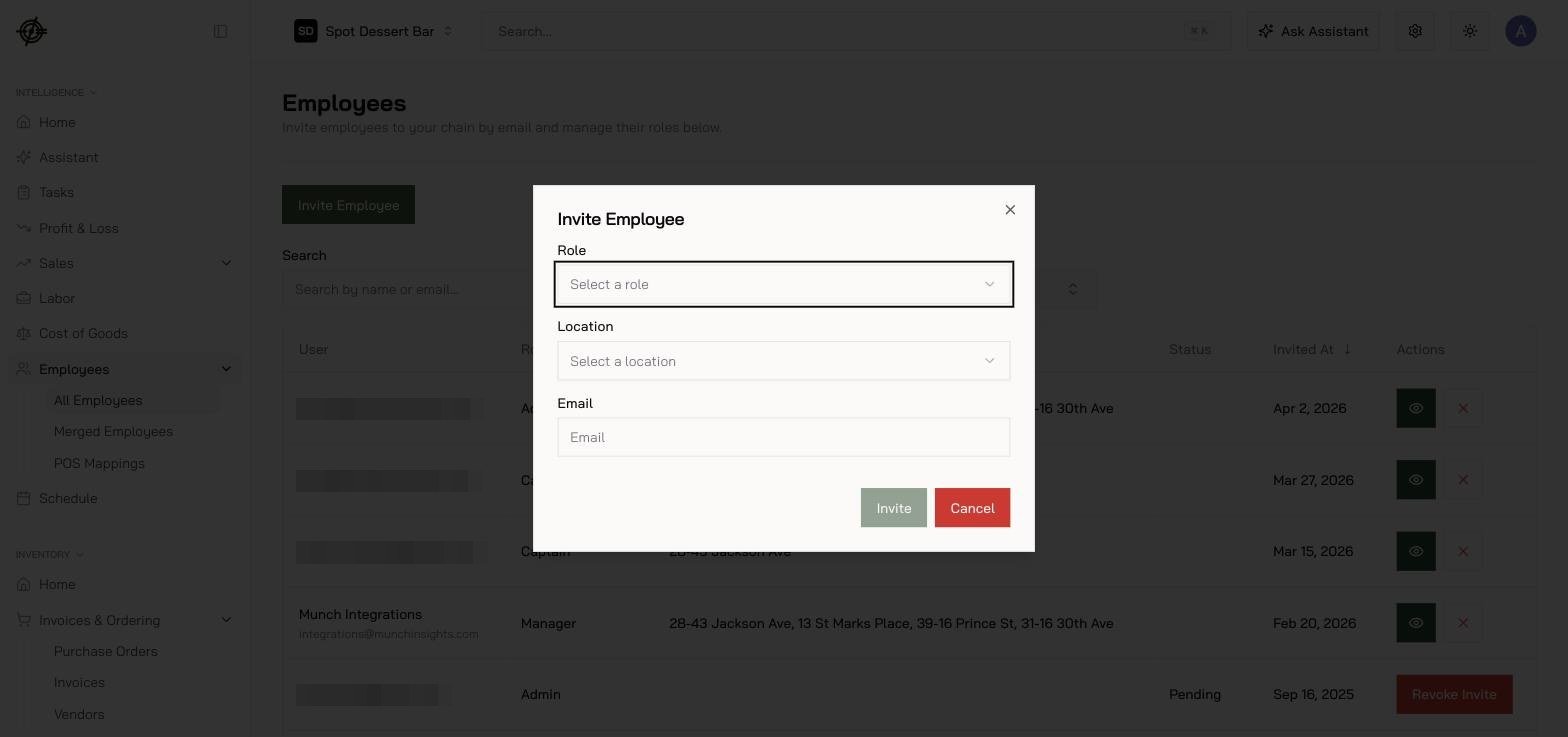
- Pick their role. Smallest role that does the job.
- Set which locations they can see.
- Send the invite to their work email.
Get staff on the Garde app
- Add the employee (payroll admins do this under Payroll → Employees).
- Tell them to download Garde and sign in with the same work email.
- They verify with an emailed code and pick their location.
Who should see what
- Accountant: Accounting, not Scheduling.
- Inventory lead: Inventory, not Payroll.
- Single-store manager: their store only.