

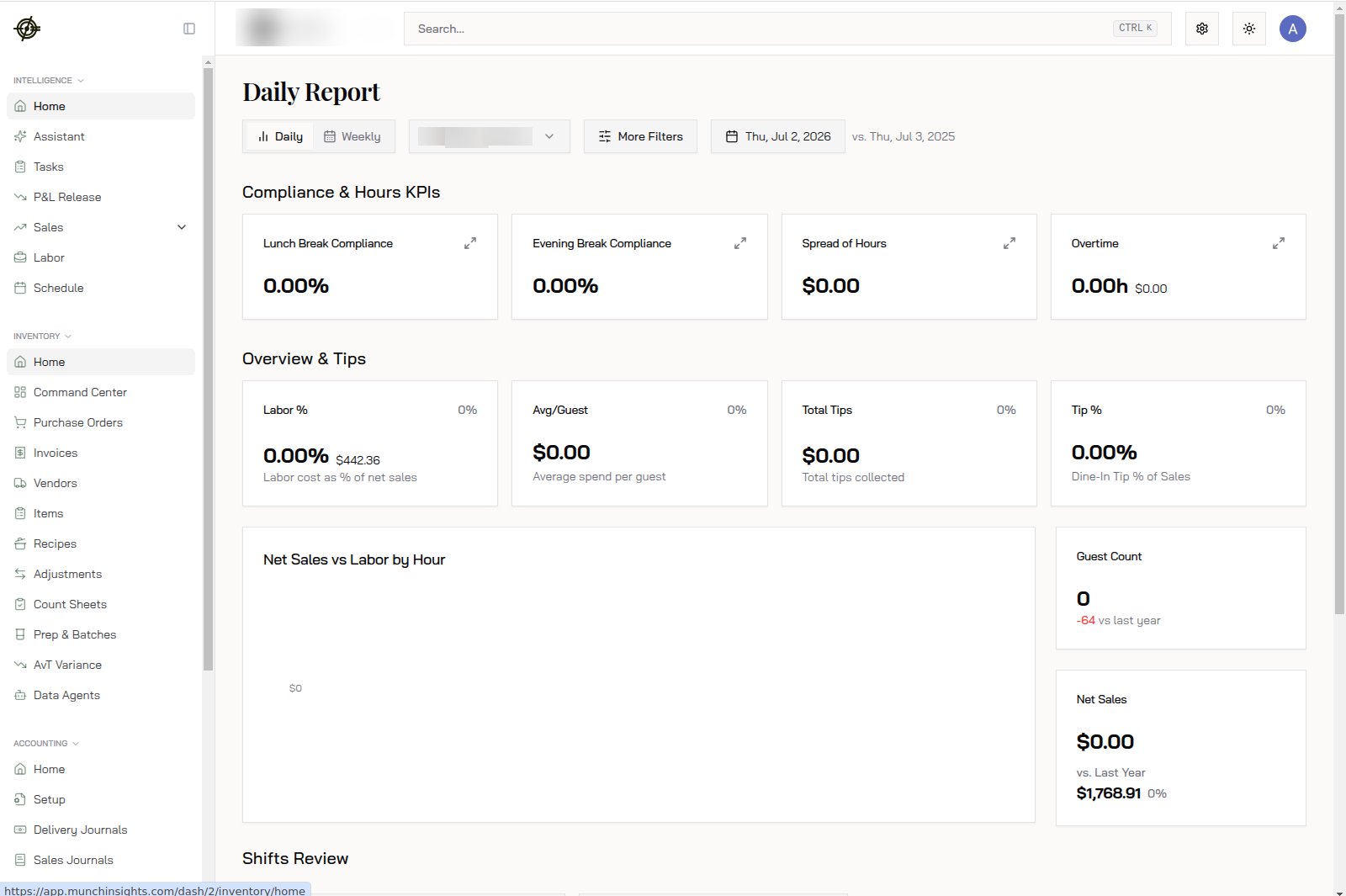
The sidebar
Four sections on the left. This is the whole map:- Intelligence: Home, Assistant, Tasks, P&L Release, Sales, Labor, Schedule. Your reporting and daily-ops area. Start here every morning.
- Inventory: Home, Command Center, Purchase Orders, Invoices, Vendors, Items, Recipes, Adjustments, Count Sheets, Prep & Batches, AvT Variance, Data Agents. The food-cost loop.
- Accounting: Home, Setup, Delivery Journals, Sales Journals, and the rest of the books.
- Payroll: employees, runs, tax center, PTO.
The top bar
- Chain and location switcher (top left): everything on screen follows what you pick here. Wrong numbers? Check this first. It’s the #1 support question.
- Search (Ctrl+K): jump anywhere without clicking through menus.
- Settings shortcut, theme toggle, and your account menu on the right.
How pages work
Every report page follows the same pattern, so learn it once:- A location dropdown and date range picker at the top scope everything below.
- A comparison period (usually the same dates last year) drives the red/green change badges.
- Cards up top show the headline numbers; charts and tables below carry the detail.
Where to start each day
- Open Home for the weekly snapshot.
- Check Tasks for anything waiting on you.
- Drill into Sales or Labor only when a number looks off.