

- P&L Release: for finance users preparing and publishing the P&L.
- Investor: a clean, read-only view for owners and investors.
The release list
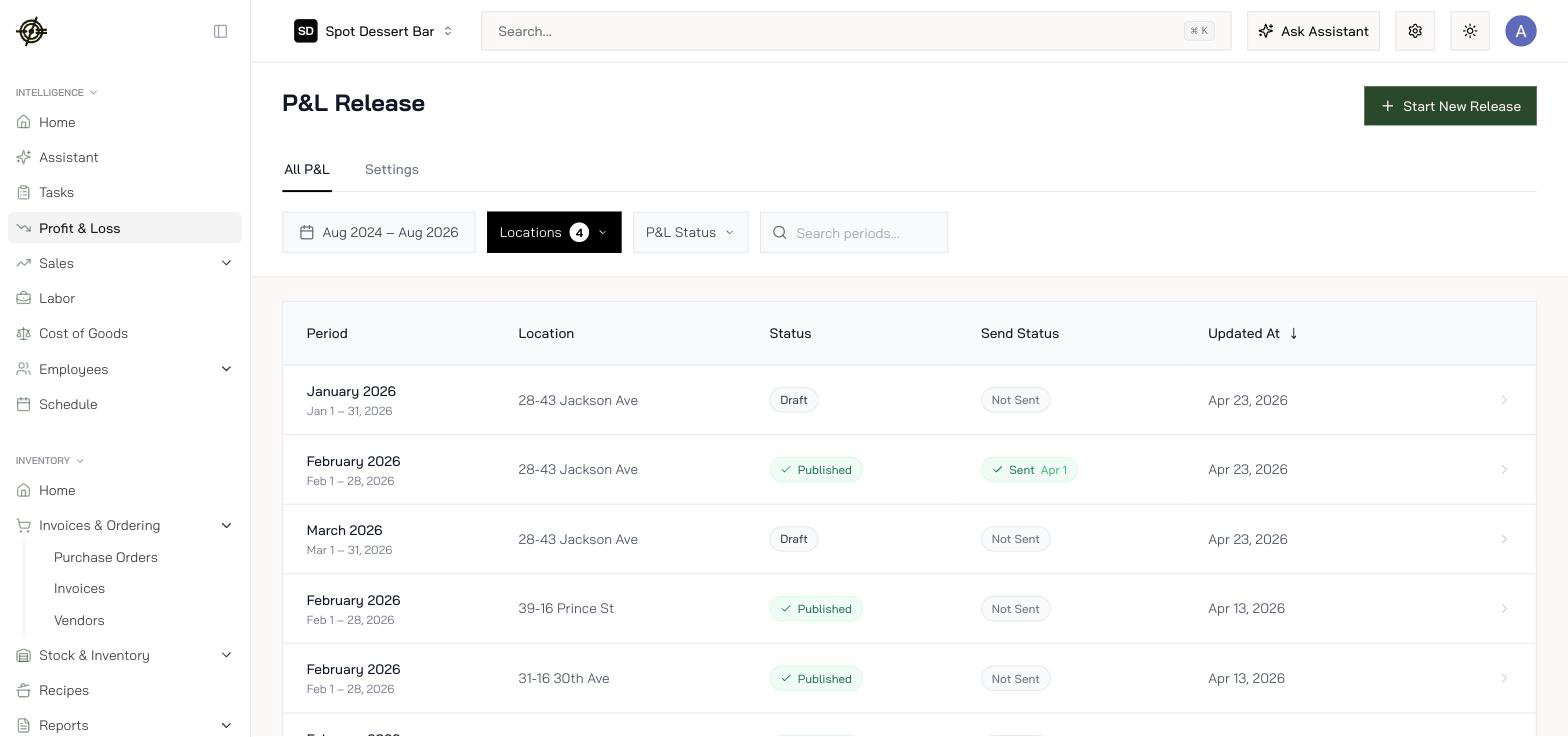
- Draft / Published: whether the report is finalized.
- Send Status: whether it’s been sent to its recipients.
Release a P&L
- Hit Start New Release, or open an existing draft.
- Pick the reporting period and location.
- Open the report and review it section by section.
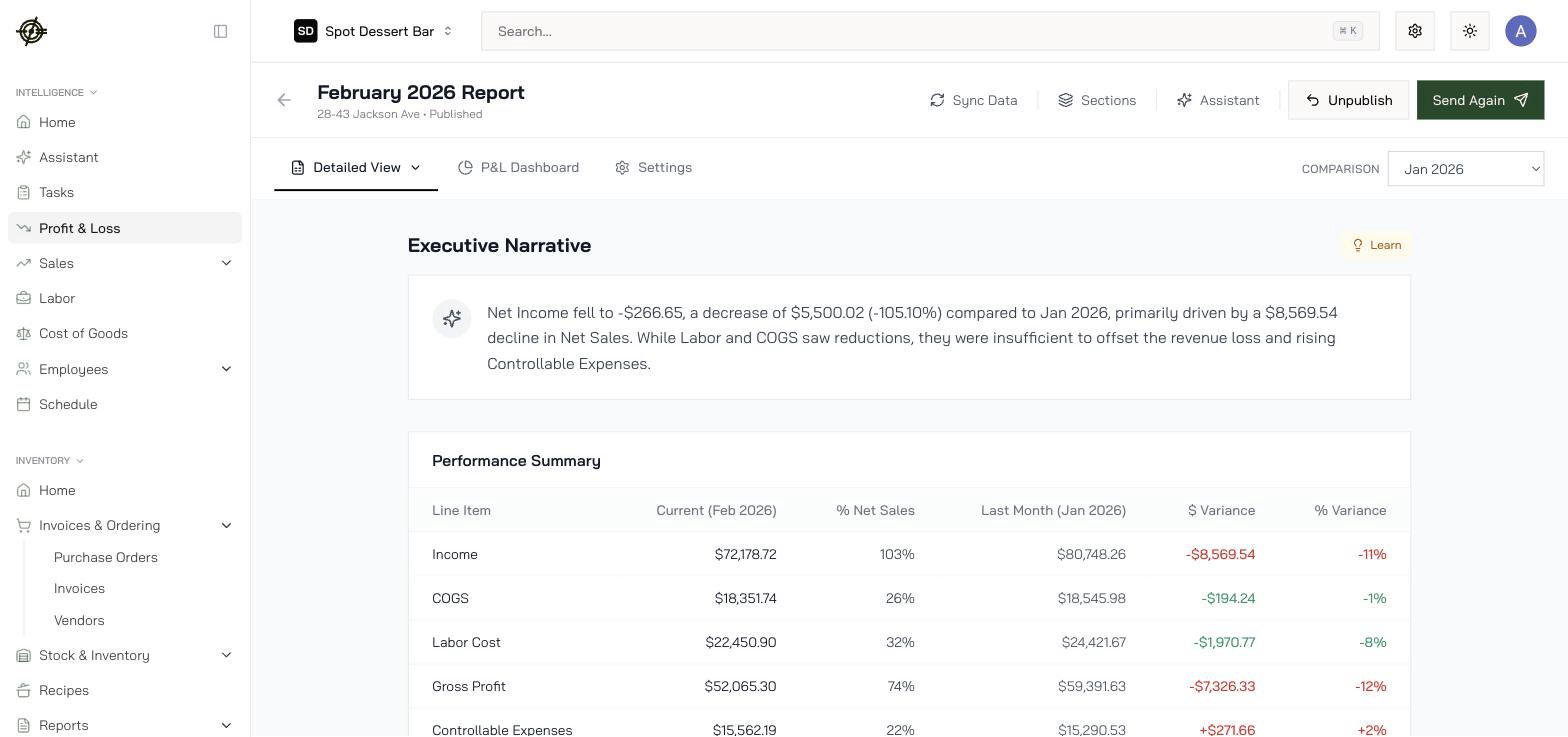
- Executive Narrative is written for you from the numbers: “Net Income fell to -5,500.02 (-105.10%) compared to Jan 2026, primarily driven by a $8,569.54 decline in Net Sales.” Read it first; it tells you where to look.
- Performance Summary is the P&L itself: Income, COGS, Labor, Gross Profit, Controllable Expenses, Fixed Expenses, Net Operating Income. Toggle between $ and % of net sales, and change the Comparison period in the top right.
- Each section (Revenue Analysis, and the rest) gets its own AI summary under it.
- Sync Data re-pulls the latest journals into the draft. Use it after fixing anything upstream.
- Fix upstream problems before releasing. Wrong COGS usually means a count or invoice issue, not a P&L issue. Sync, re-check, then publish.
- Publish, then send it to recipients. Send Again re-delivers; Unpublish pulls it back if you caught something late.
The investor view
Investor and Investor → P&L Reports show profitability by location and period without any operational tooling around it. Send investors and partners here. They get the numbers; they don’t get your vendor list.Know-how
- % of Net Sales is the column to read. Labor at 31.88% and COGS at 26.06% are comparable month to month even when sales swing.
- A published month is a locked story. If numbers must change after publishing, unpublish, sync, re-review, re-publish. Don’t let a stale published report circulate.
- Reviewing takes minutes when the month was maintained: invoices approved same-day, counts done, journals exported. A painful P&L review is a symptom, not the disease.