

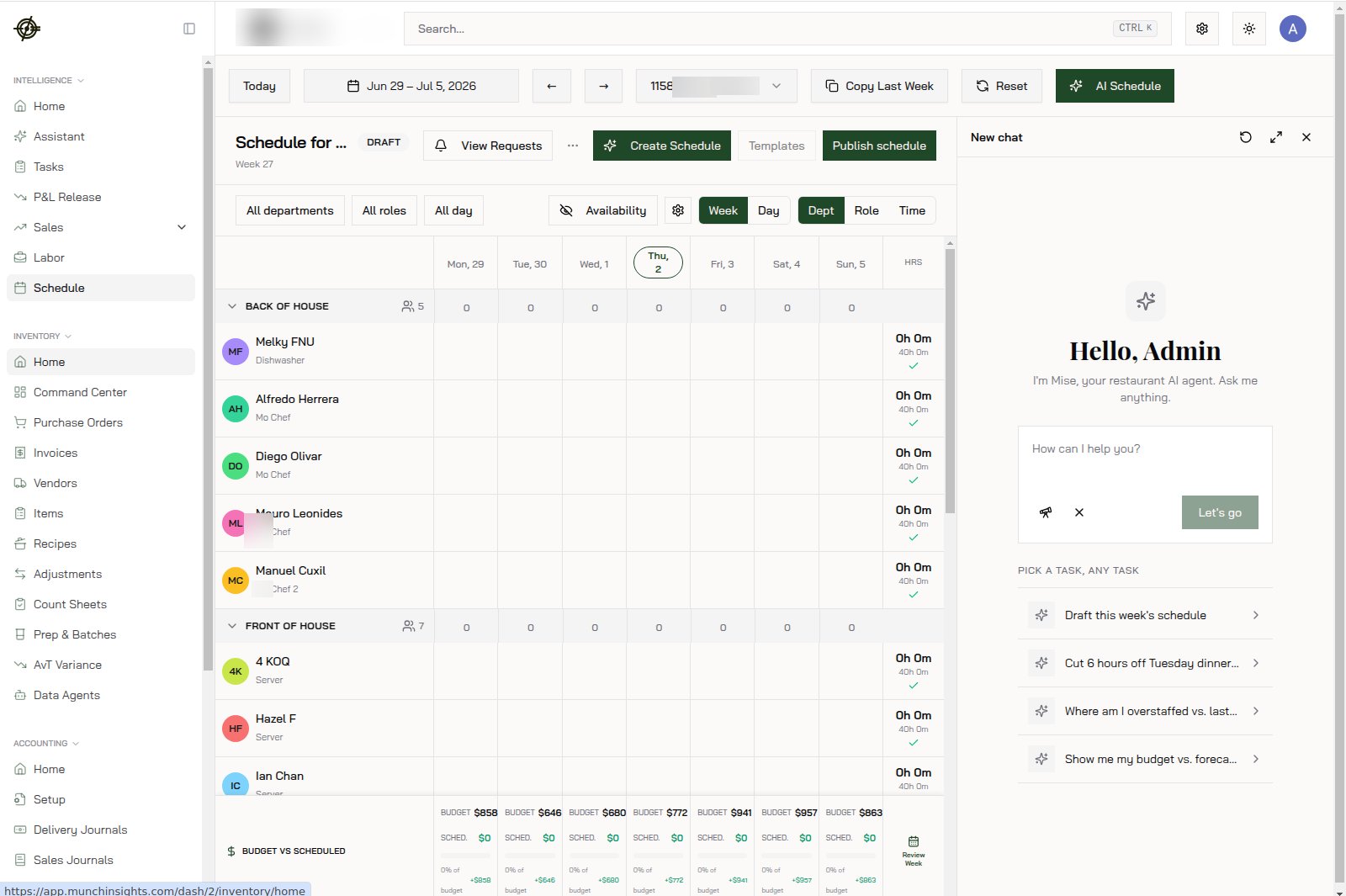
The week view
- Rows are employees, columns are days. Each cell is a shift: time, role, location.
- The totals along the bottom track scheduled hours and cost against budget as you build. You know the week’s labor cost before it happens, not after.
- Switch weeks with the date picker. Copy a previous week when the pattern repeats, then edit the deltas.
Build the week
- Open the weekly view and pick the week.
- Before placing a single shift, check two things:
- By-hour sales for when demand actually hits. A store that peaks 8 to 10 PM doesn’t need a full crew at noon.
- Staff availability and approved time off (submitted through the Garde app). Scheduling around an approved request you didn’t read is a no-show you caused.
- Place shifts against demand. Open the day/week detail view for fine-grained edits.
- Watch the bottom totals. Over budget on Tuesday? Fix it now, while it’s a drag-and-drop.
- Publish. Staff see it in the app immediately.
Handle requests
Availability changes, time-off requests, and shift swaps come from staff phones. Review them promptly:- Requests you sit on become no-shows.
- Approving a swap in the app beats a group text every time. The app blocks trades that create double-bookings; the group text doesn’t.
- Open shifts are shifts nobody owns yet. Post them and let staff claim them instead of calling down the roster.
Keep an eye on cost
- Check the overtime table midweek and adjust the remaining shifts before overtime happens, not after.
- Compare scheduled vs. actual hours at week’s end. A chronic gap means shifts are running long on the floor, and the schedule isn’t the problem.
Know-how
- Publish by the same day every week (say, Thursday for the following week). Staff plan their lives around it; a late schedule is a morale tax.
- The location switcher scopes the schedule. Staff working multiple stores appear per location; watch their combined hours or overtime will surprise you.
- Missing an employee? They need to exist in the system first, and their mappings need to be intact. Check Employee Mappings in Settings.