

Payroll Home
Payroll Home shows exactly where setup stands per location. Until the required steps are done, you can’t run payroll, and this page won’t let you forget it.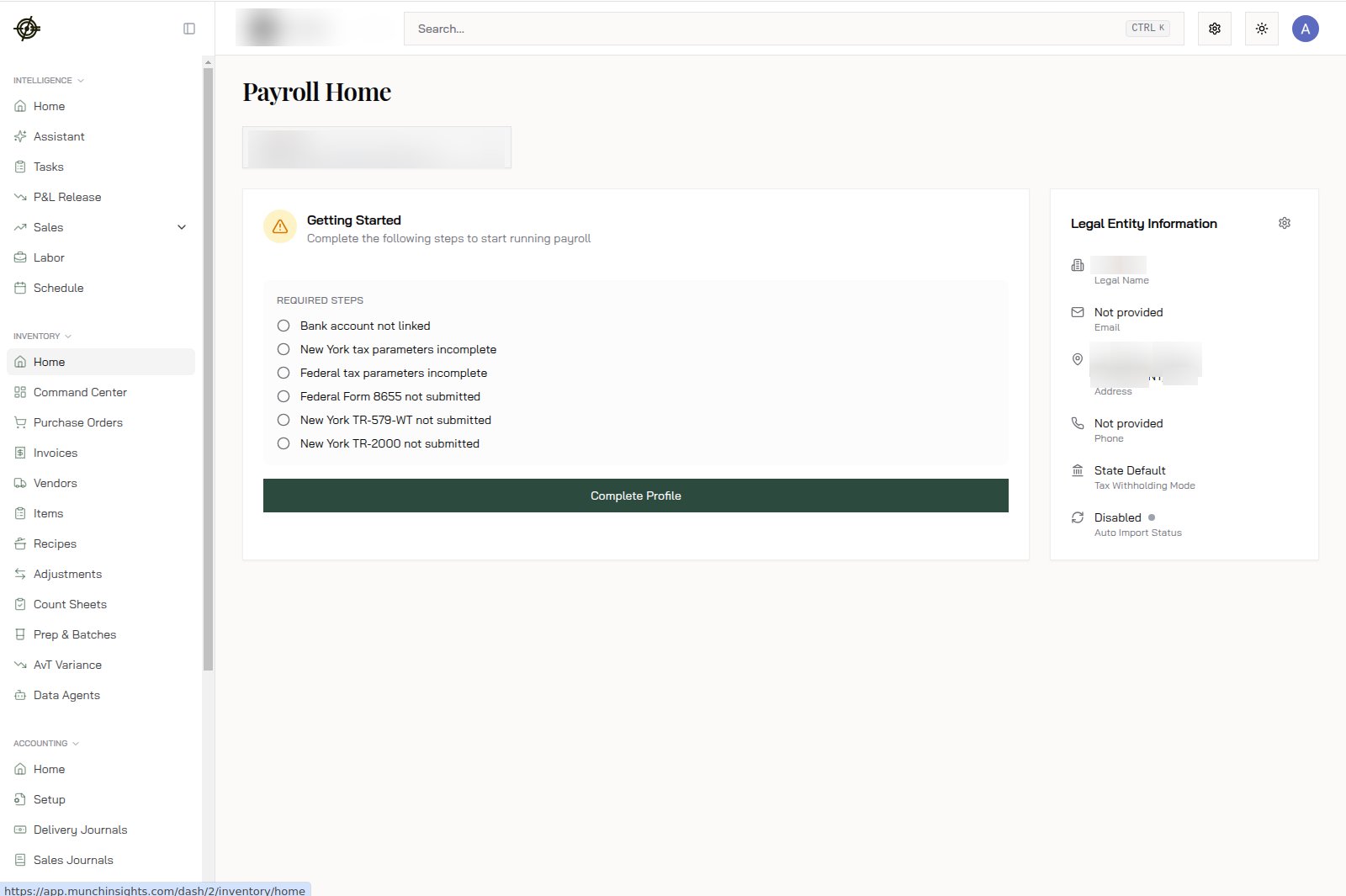
- The Getting Started checklist lists what’s missing: bank account link, federal and state tax parameters, and state authorization forms (like New York’s TR-579-WT and TR-2000, and the federal Form 8655).
- Legal Entity Information on the right is the business identity payroll runs under. “Not provided” fields block filings; fill them.
- Hit Complete Profile and work top to bottom. Each item is a one-time task.
Set up once
- Onboarding: legal entity and business setup for each location.
- Employees and Contractors: add everyone who gets paid. Employees finish their own side (personal info, taxes, bank) in the Garde app; chase stragglers before the first run.
- Departments: map roles to departments so labor cost splits into FOH/BOH correctly on the Labor page.
- PTO Policy: set accrual rules once; they run themselves.
- Accounting Mapping: point wages, taxes, and benefits at the right QuickBooks accounts.
- Employee Mappings: link POS employees to payroll employees. Do this for every hire. An unmapped employee is a wrong paycheck waiting to happen.
Every pay period
- Open Runs and start the run. Hours come in from synced labor data; nobody retypes timesheets.
- Review each person: hours, overtime, PTO, and adjustments. The hours are POS truth, so a surprise here means a floor problem (missed clock-outs), not a payroll problem.
- Approve before the deadline so deposits land on payday. Deadlines are banking deadlines; there’s no grace period.
- Skim Reports after the run for the breakdown by person, department, and location.
Tax season (and every quarter)
The Tax Center holds filings, deposits, and documents. Filings and deposits happen through the platform; your job is to check it stays green. Download forms from here when the accountant asks instead of emailing back and forth.Know-how
- Payroll is per legal entity. Multiple locations under one entity run together; separate entities run separately. The location picker on Payroll Home selects the entity you’re working.
- The most common payroll bug is upstream: an employee whose POS identity isn’t linked to their payroll identity. Zero hours on the run? Check Employee Mappings first.
- Bank changes, address changes, and W-4 details are the employee’s job in the Garde app. Point them there; don’t do data entry on their behalf.