

Inventory Home
Go to Inventory → Home. One screen shows: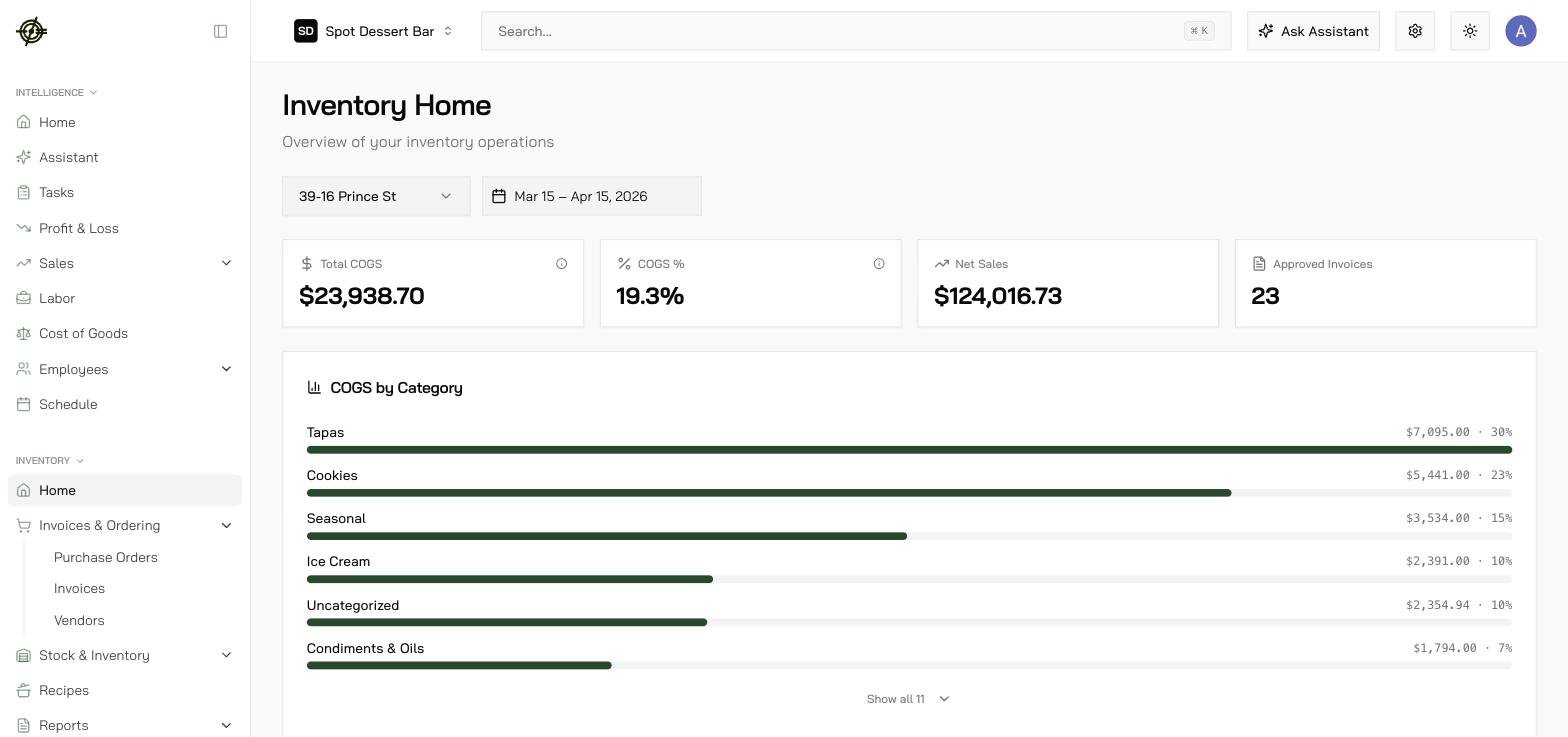
- Incoming Orders — pending orders, what needs pickup or delivery, dollars in flight, anything delayed past ETA.
- Stock — out of stock, expired — pull from stock, expiring soon — sell first.
- Total COGS, COGS %, Net Sales for the range, plus COGS by Category.
- Biggest Price Movers (30 days) — the items whose invoice prices moved most.
- Action Items — invoices pending review, items missing vendor mapping, items needing conversions, recipes needing attention.
Tasks
The Tasks page is the Work Pipeline — every task in one queue, board or table view.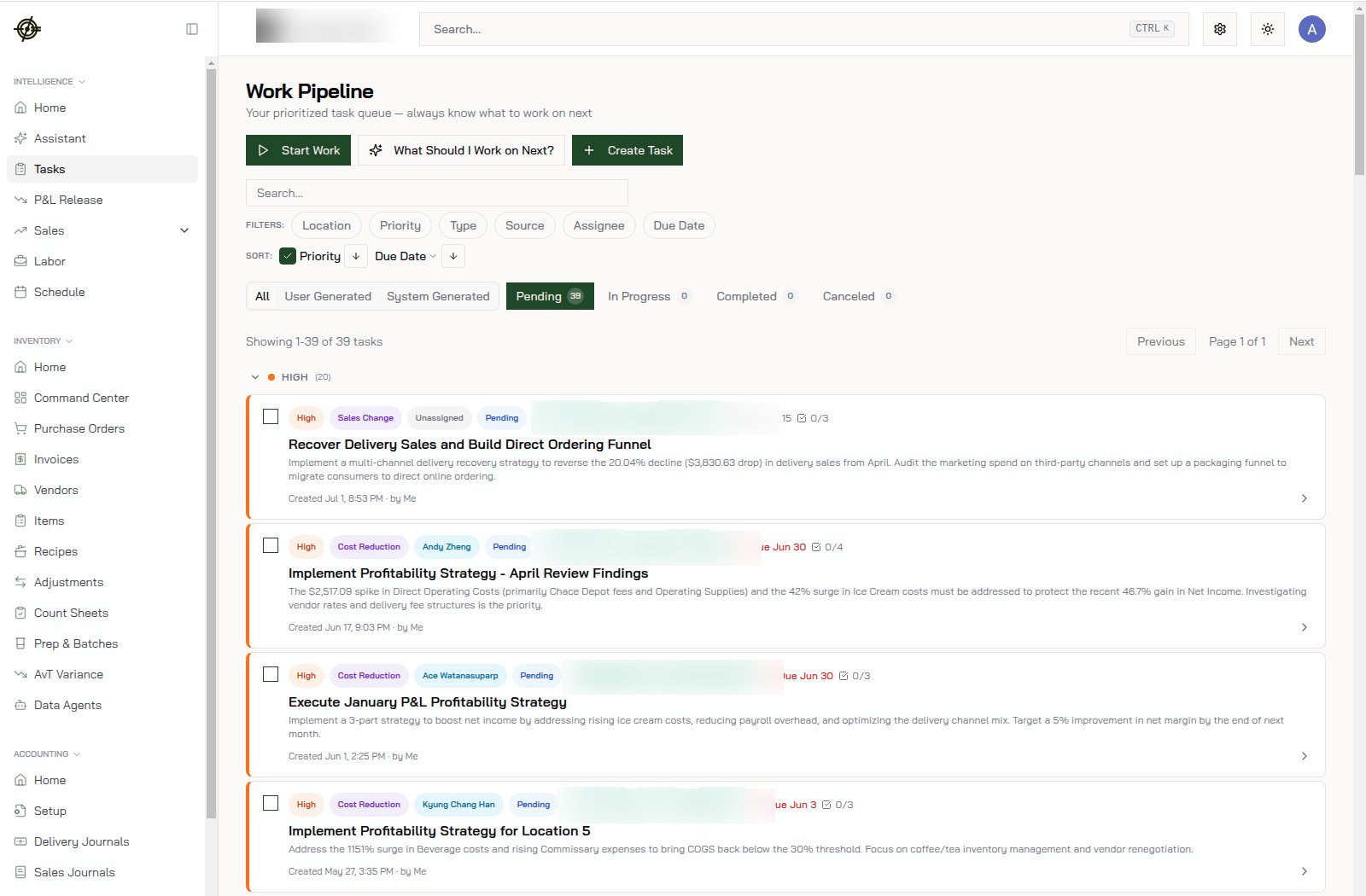
- Tasks are User Generated (your team) or System Generated (Garde — e.g. an invoice needs review).
- Filter by assignee, location, priority, due date; statuses run Pending → In Progress → Completed.
- Not sure where to start? What Should I Work on Next? picks for you — then Start Work.