

The catalog
Inventory → Stock & Inventory → Items is a two-pane browser: categories left (with red need mapping warnings when items lack vendor links), items right with count size, latest vendor, and cost. Use the location picker for store-specific costs, and the Inventoried only toggle to hide non-counted items.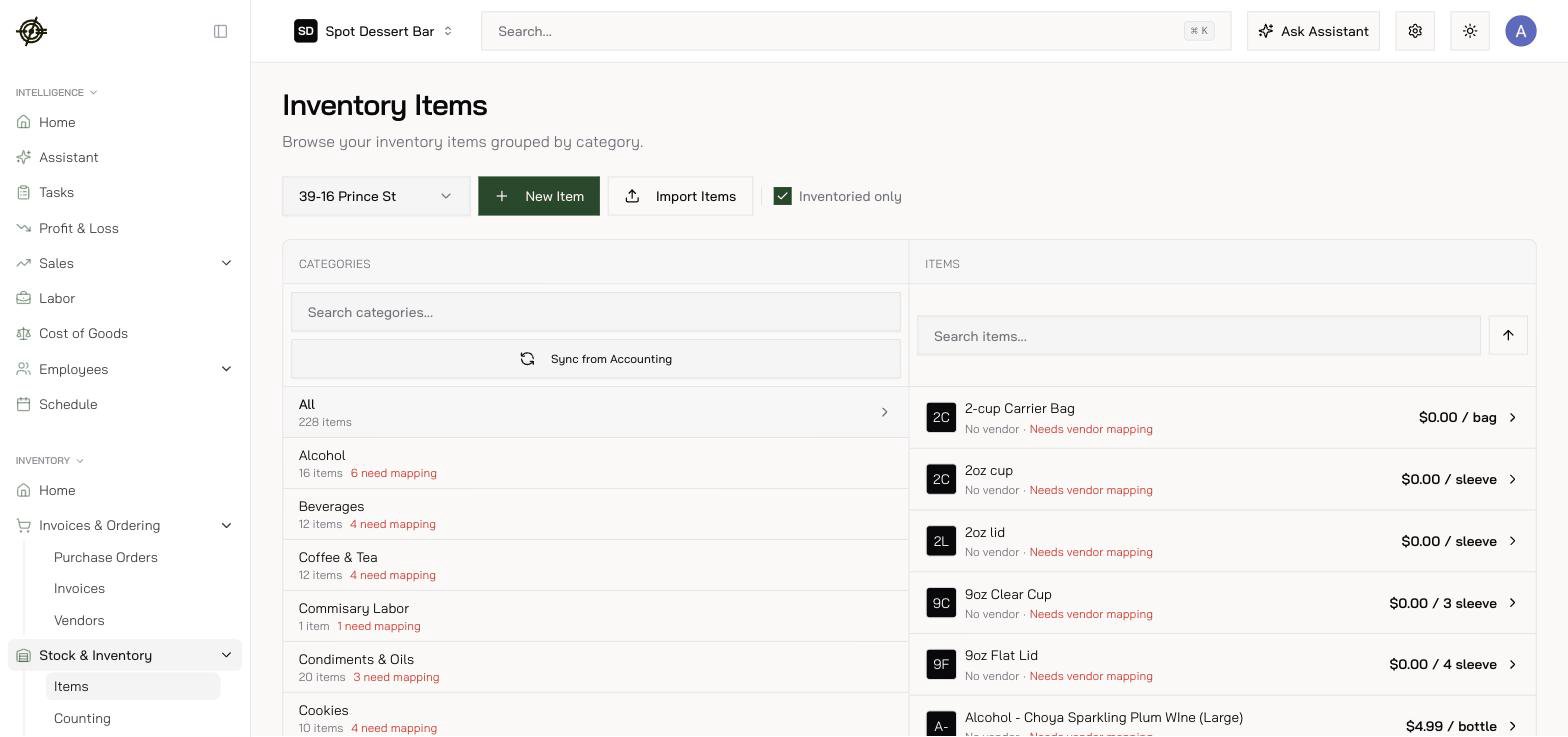
- Import Items bulk-creates from pasted names (Type Items) or a CSV/XLSX/PDF/photo (Upload File). AI parses drafts, flags possible duplicates, and walks you through approve/skip review.
- Deleting a category asks where to merge its items — nothing is orphaned.
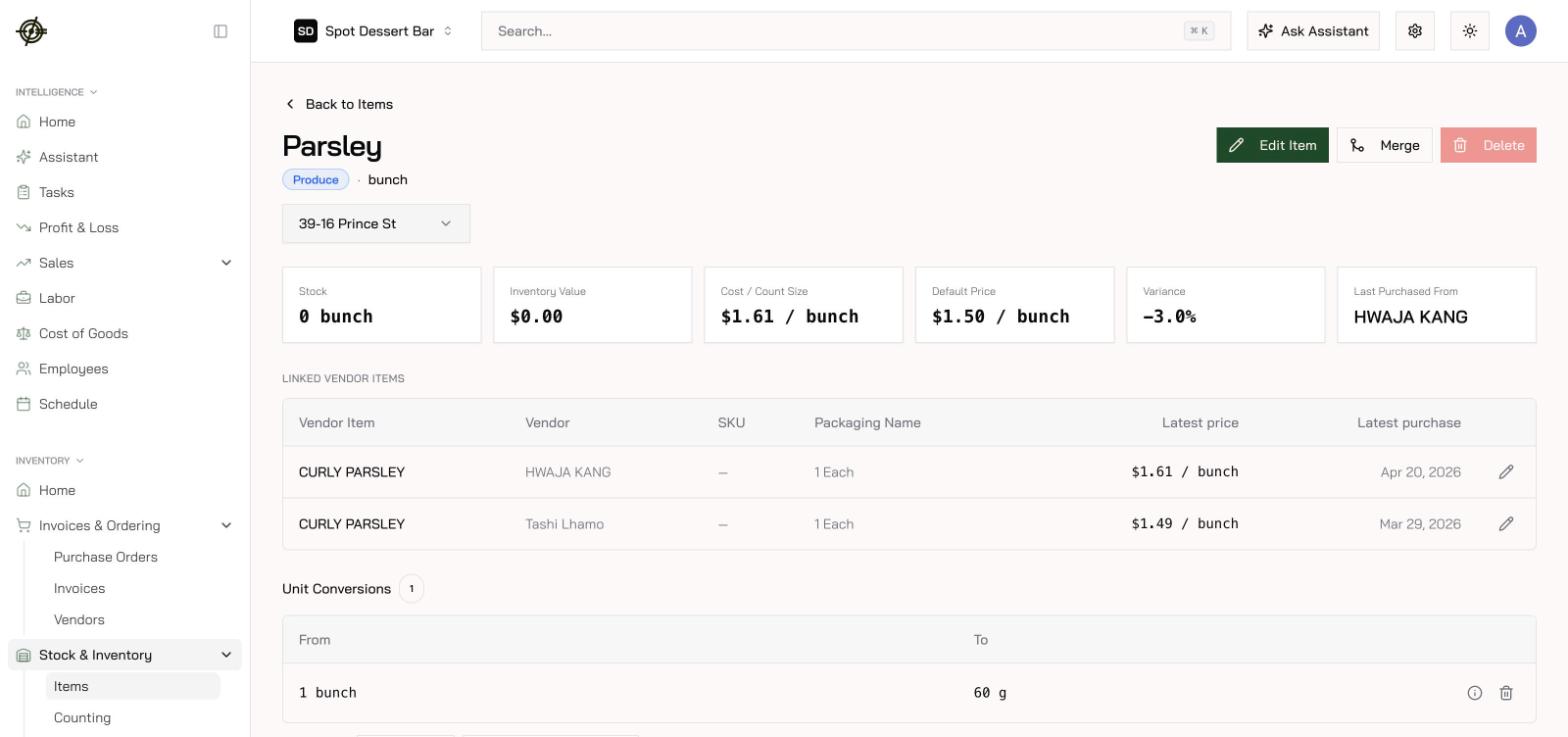
- Click any item for stock vs par, inventory value, cost per count size, linked vendor items, price history, photos, and every count that touched it.
- Expiration policies — how long items stay good, with a preview before applying. This powers the expired — pull from stock and expiring soon — sell first alerts on Inventory Home.
- Alternative names by language — a dialog on each item that gives it a different name in English, Chinese, Spanish, Korean, or Thai; staff see their language across inventory, ordering, and counting.
Count sizes & unit conversions — be careful here
Each item has a primary count size (how you count it) and unit conversions that translate between purchase packs, count units, and recipe units.Merging duplicates
Open the item you want to keep, press Merge, select the duplicates. Vendor items, recipe references, count sheets, count history, unit conversions, and images move to the survivor; the duplicates are permanently deleted.Direction matters: the survivor keeps its own fields — there’s no backfill from merged items, and no unit conversion on moved history. Merge same-unit duplicates only.