

The directory
Inventory → Invoices & Ordering → Vendors lists every supplier with contact, payment terms, spend, and accounting mapping. Add Vendor needs just a company name.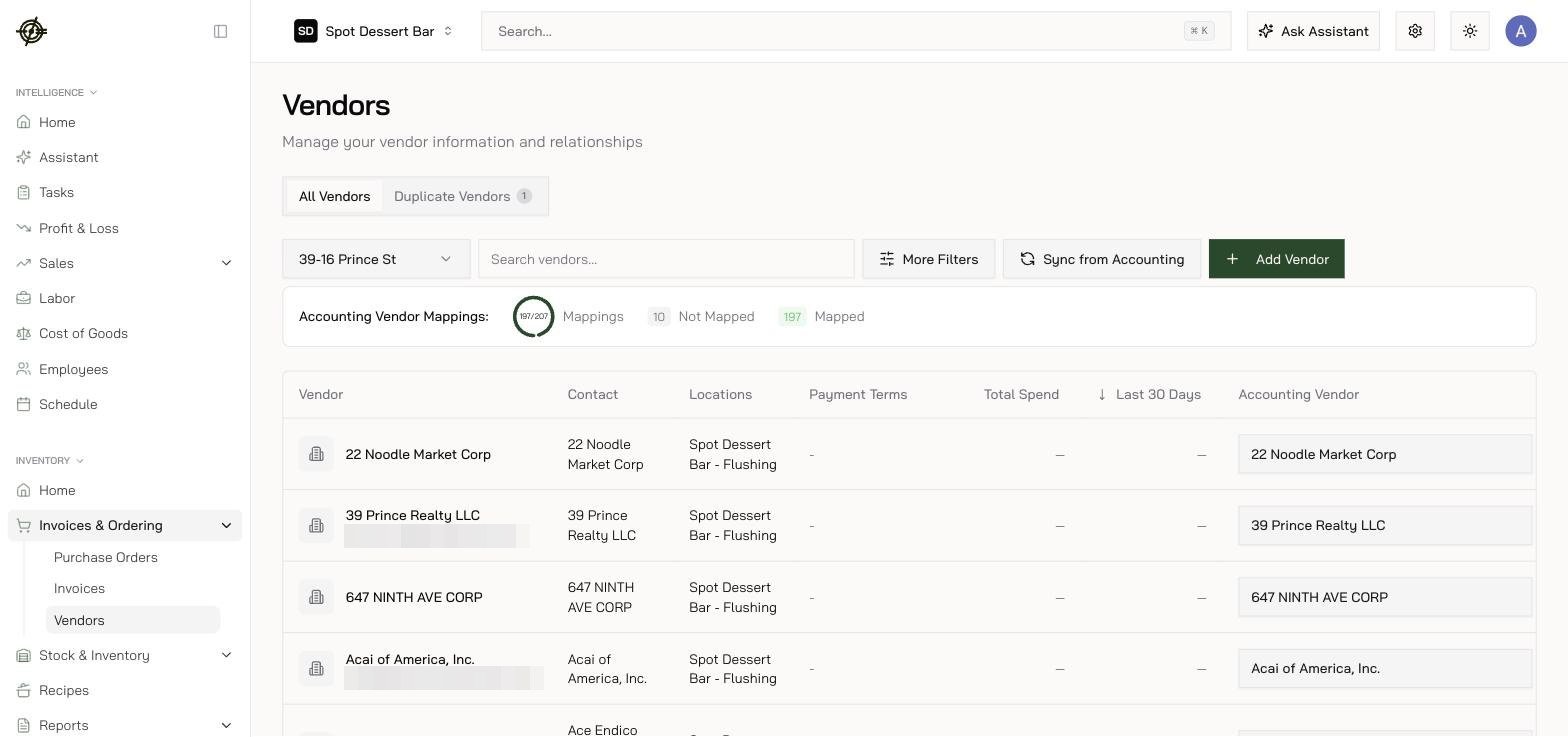
The Product Catalog
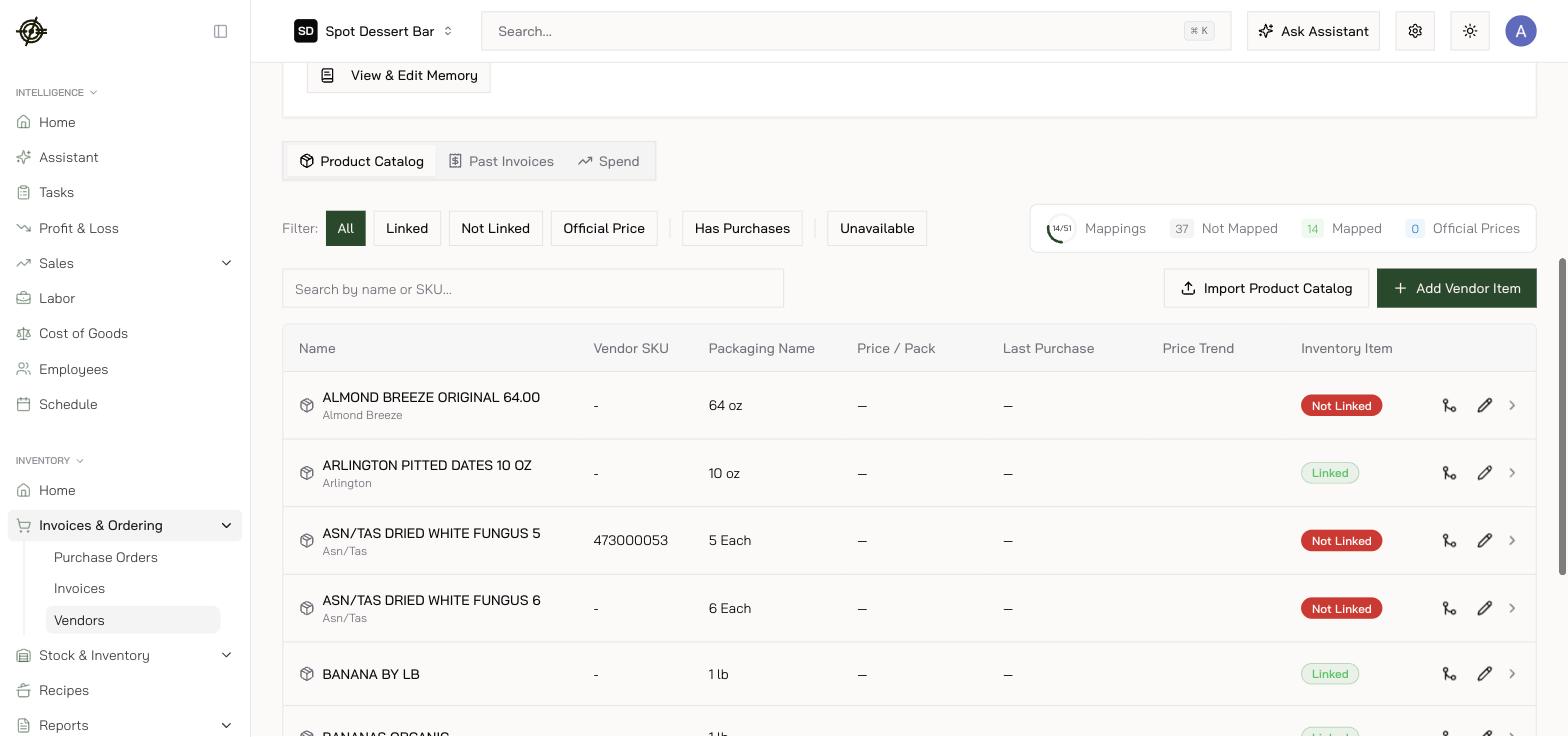
Each vendor page has Product Catalog, Past Invoices, and Spend tabs. The catalog is everything you buy from them — SKU, Packaging Name (12 x 4 lb), price per pack, trend, and a green Linked / red Not Linked badge for the inventory connection.- Work the Not Linked filter and the mappings ring to zero — that’s catalog hygiene in one number.
- Import Product Catalog AI-extracts a price list (PDF, DOC, XLSX, CSV, photos, up to 25MB). Extracted rows land on a Review Catalog Import screen — check them and press Import Selected; only what you approve is added, and there is no undo afterwards. Imported entries arrive unlinked and unpriced — link them afterwards; prices come from invoices.
- Click a vendor item for Price Per Pack Over Time and the purchase table — the fastest way to audit a price hike back to the exact invoice line.
Vendor Memory
Every vendor page has a Vendor Memory card — context applied when parsing that vendor’s invoices. Open View & Edit Memory and type facts in plain English (“Unit price is in the column labelled NET”). The invoice AI applies them on every future scan.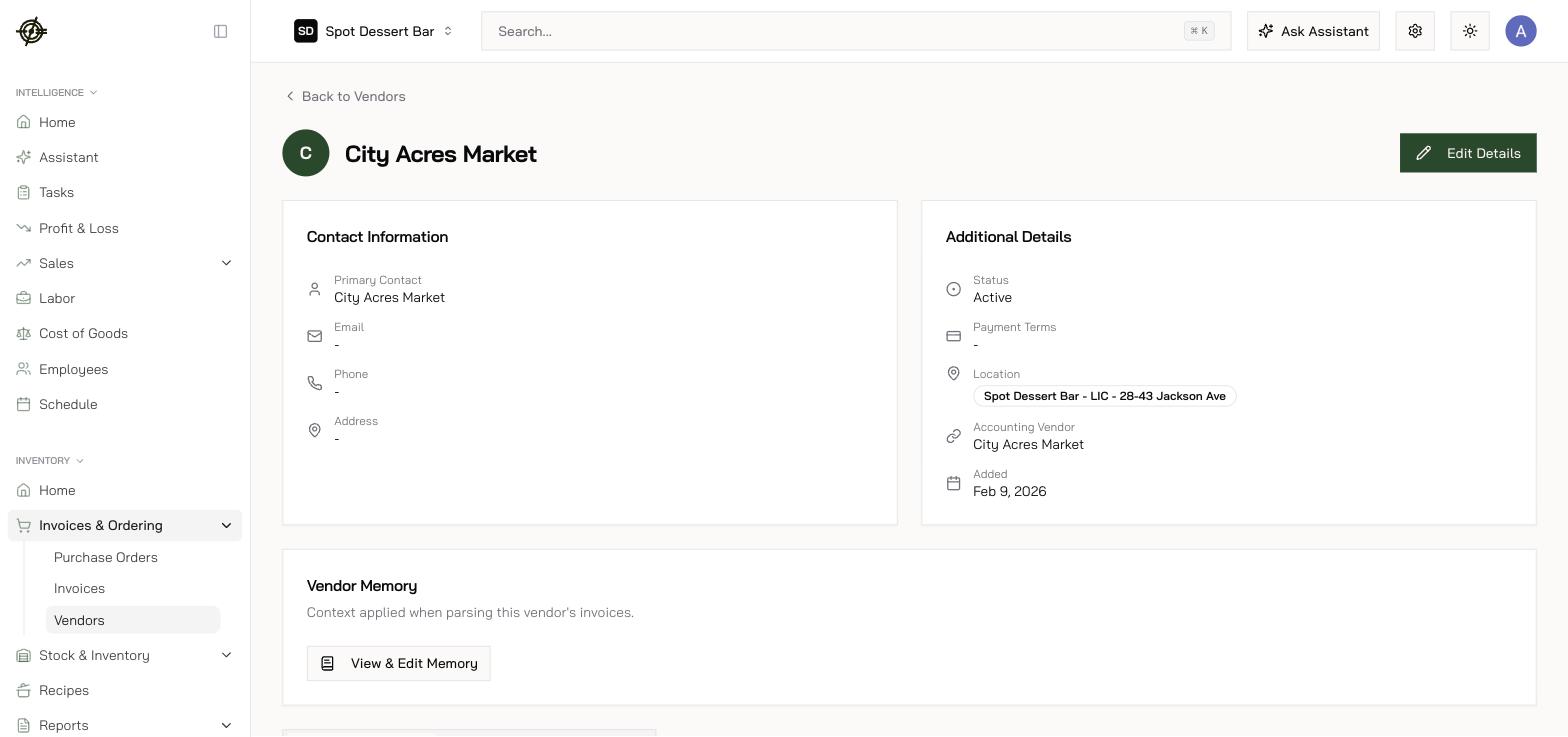
Vendor items and conversions are shared across locations; prices are per-location — a new store sees the catalog immediately but builds its own price history.